

ವಿವರಣೆ
Frontend File Explorer is a modern, Windows Explorer–inspired file manager for WordPress. It gives you a clean admin interface to organize and share files plus a responsive frontend explorer powered by a simple shortcode.
Use it to create download areas for courses, client file portals, or resource libraries — without relying on heavy external file management tools.
The plugin provides a seamless experience for both administrators and frontend users:
- Explorer-style UI: Navigate with breadcrumbs, toolbar actions, pagination, and Material Icons.
- Dedicated Directory: Files are stored in a secured
wp-content/uploads/downloadsdirectory. - Admin Management: Create folders, upload files, delete items, and download ZIPs directly from the admin dashboard.
- Frontend Integration: Embed the explorer anywhere using the
[frontend_file_explorer]shortcode. - AJAX-Powered: Fast, smooth navigation and pagination without page reloads.
- Translation Ready: Fully localized with the
frontend-file-explorertext domain.
How to use the Explorer:
-
Admin Interface:
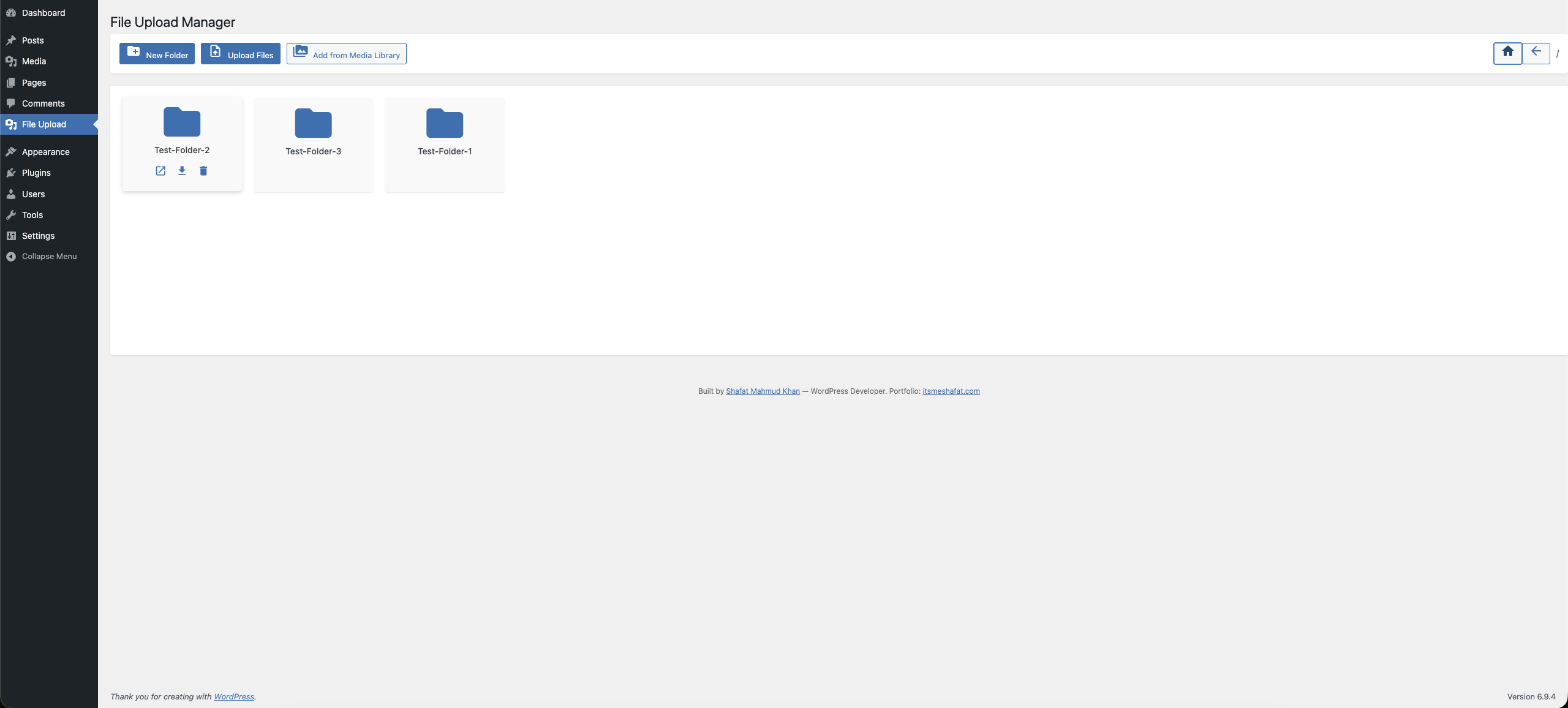
Navigate to File Upload in your WordPress admin sidebar. From this dedicated dashboard, administrators can create nested folders, upload bulk files (featuring multi-select and drag-and-drop), import existing Media Library assets, delete items, and download entire directories as ZIP archives. -
Frontend Shortcode:
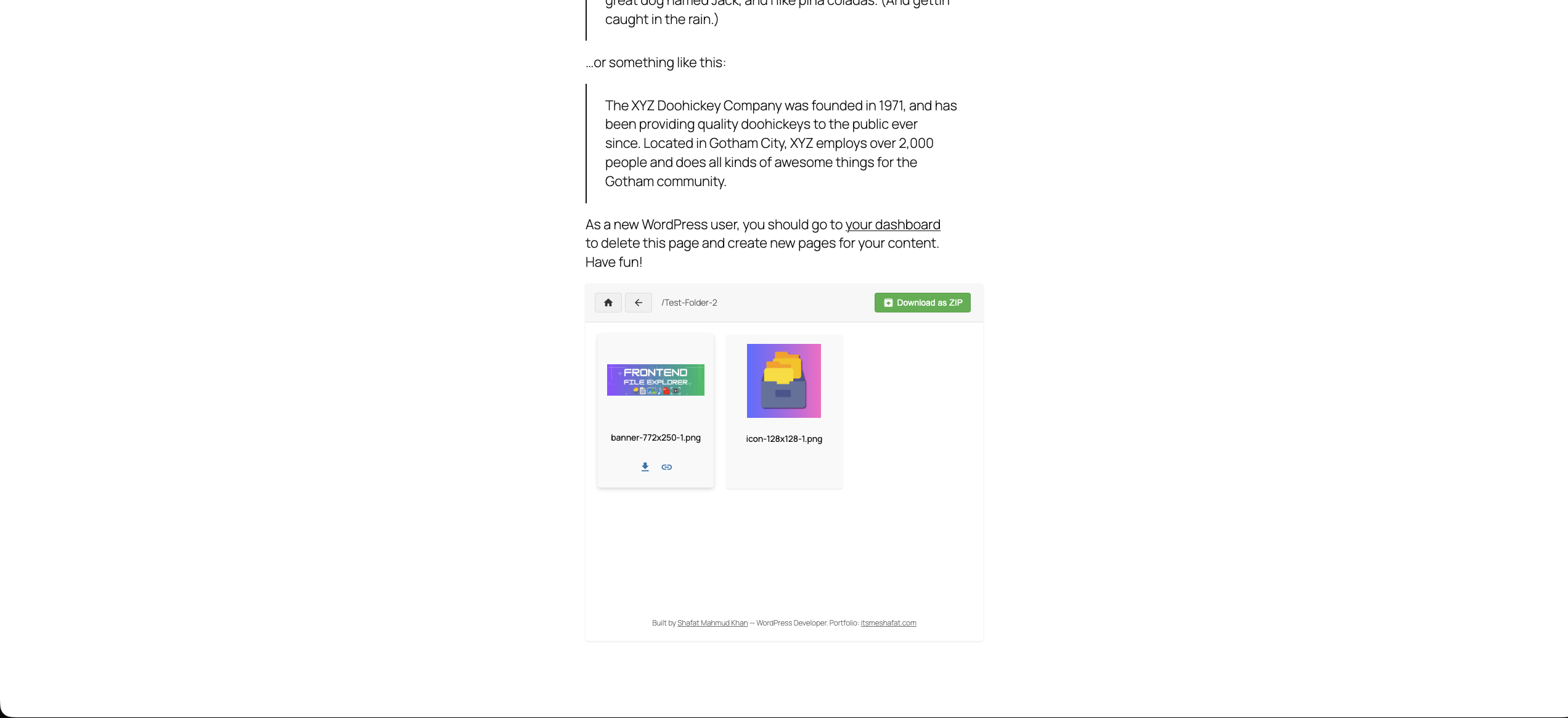
Embed the user-facing explorer interface on any Page, Post, or Custom Post Type using the following shortcode setup:[frontend_file_explorer](Renders the explorer starting at the root storage directory)
Advanced Shortcode Usage:
You can explicitly define the starting folder path relative to the rootuploads/downloadsdirectory by using thefolderattribute:[frontend_file_explorer folder="/course-materials"] [frontend_file_explorer folder="/clients/acme-corp"]- Frontend Capabilities: Visitors browsing the frontend can view contents, click files to download them, and copy direct sharing links.
- Security: Destructive or mutating actions (like file upload, folder creation, or deletion) remain strictly hidden and blocked from public visitors. They are only accessible to logged-in users who possess the WordPress
upload_filescapability.
Who is this plugin for?
- Course creators who need a simple, branded downloads area.
- Agencies and freelancers who share files with clients.
- Site owners who want a lightweight, Explorer-like file manager in WordPress.
ಸ್ಕ್ರೀನ್ಶಾಟ್ಗಳು
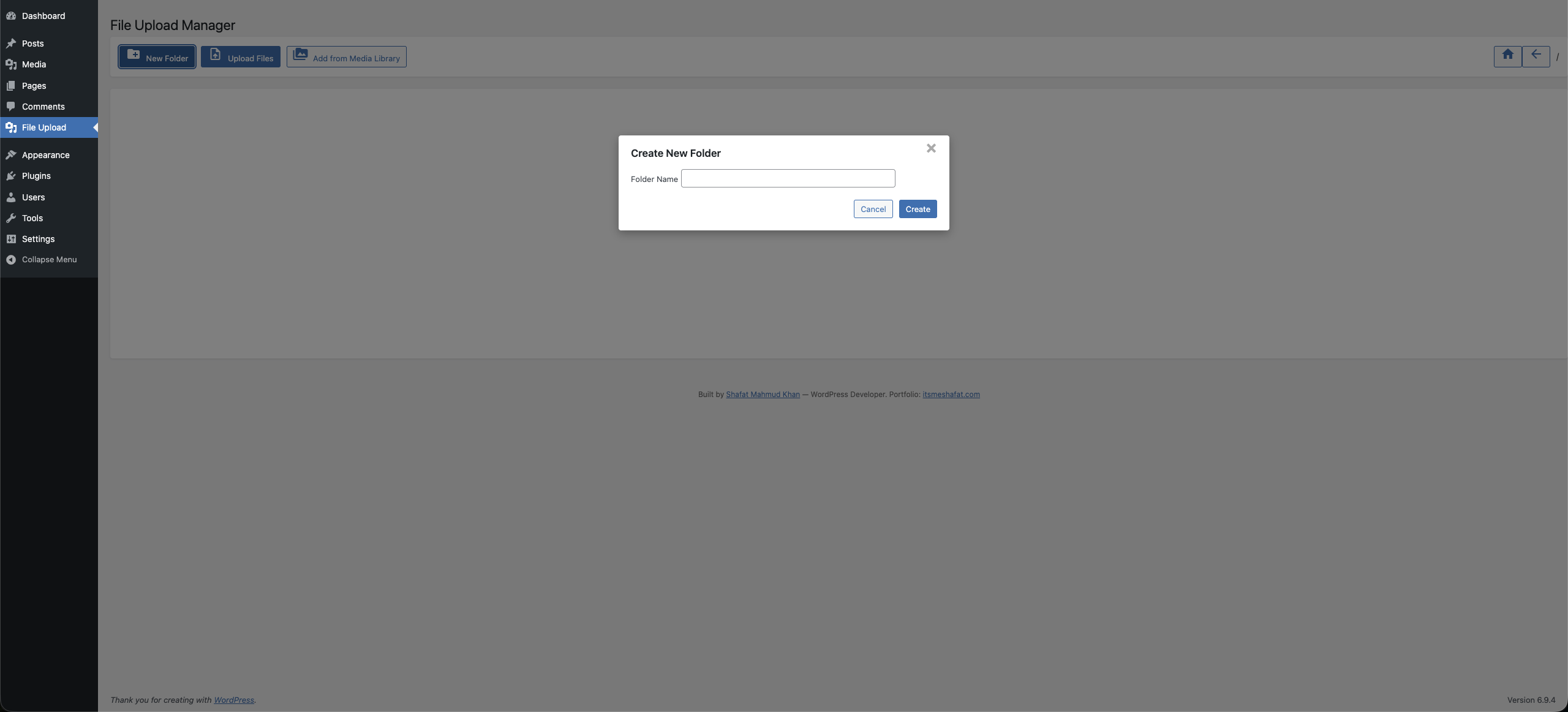
Admin file explorer with folders, uploads, and toolbar actions (backend). 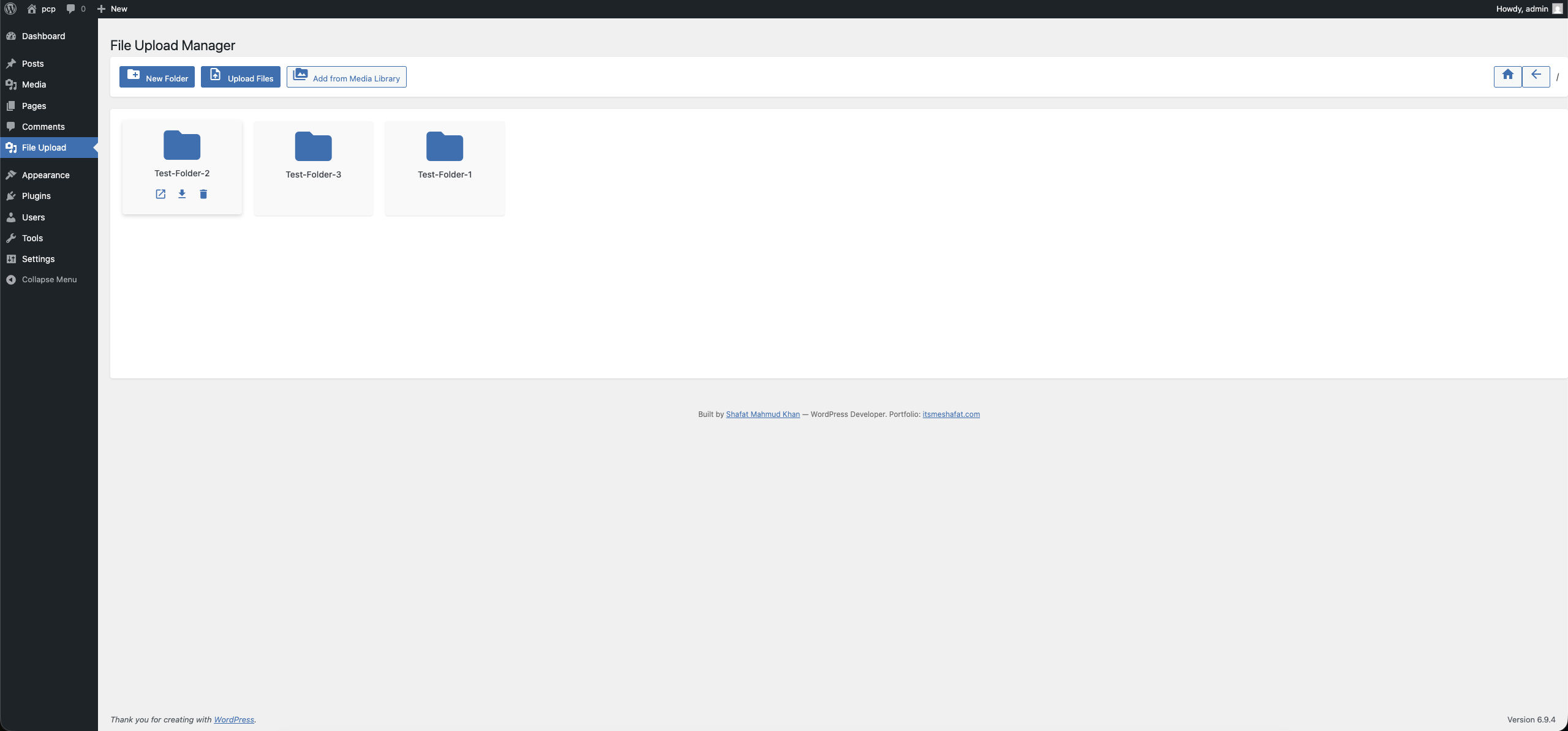
Frontend file explorer embedded via shortcode (frontend view). 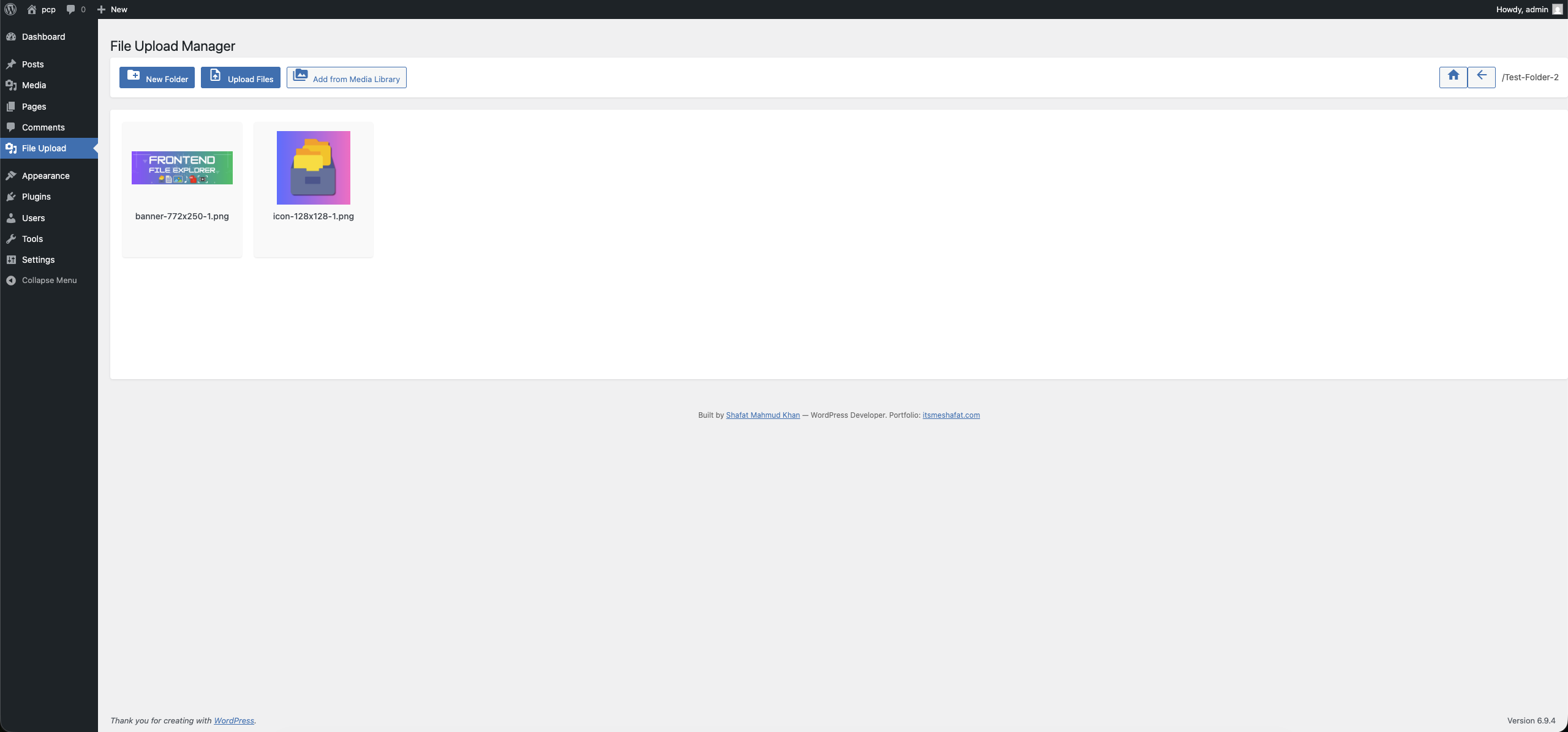
ಸ್ಥಾಪನೆ
Installation from within WordPress
- Visit Plugins > Add New.
- Search for Frontend File Explorer.
- Install and activate the Frontend File Explorer plugin.
- On activation, the plugin will create
wp-content/uploads/downloads.
Manual installation
- Upload the plugin folder to the
/wp-content/plugins/directory. - Visit Plugins.
- Activate the Frontend File Explorer plugin.
FAQ
-
Can I point the explorer to a different base folder?
-
Yes. You can override the constants in a custom mu-plugin before File Explorer loads, or use filters/hooks (e.g. on
wp_loaded) to adjust the base path/URL. This is an advanced customization and should be done carefully. -
Does the plugin work in multisite?
-
Yes. Each site manages its own
uploads/downloadsdirectory. You can network-activate the plugin for consistency across sites. -
Are file types restricted?
-
By default, allowed file types are defined via options during activation. You can adjust the allowed extensions by updating the plugin options (e.g.,
file_explorer_allowed_file_types). -
How do I translate the UI?
-
The plugin is fully localization-ready and uses the
frontend-file-explorertext domain. You can use tools like Loco Translate or Poedit to create translations and drop.mofiles in thelanguages/directory.
ವಿಮರ್ಶೆಗಳು
ಈ ಪ್ಲಗಿನ್ಗೆ ಯಾವುದೇ ವಿಮರ್ಶೆಗಳಿಲ್ಲ.
ಕೊಡುಗೆದಾರರು & ಡೆವಲಪರ್ಗಳು
“Frontend File Explorer” ಓಪನ್ ಸೋರ್ಸ್ ಸಾಫ್ಟ್ವೇರ್ ಆಗಿದೆ. ಕೆಳಗಿನ ಜನರು ಈ ಪ್ಲಗಿನ್ಗೆ ಕೊಡುಗೆ ನೀಡಿದ್ದಾರೆ.
ಕೊಡುಗೆದಾರರು
“Frontend File Explorer” ಅನ್ನು ನಿಮ್ಮ ಭಾಷೆಗೆ ಅನುವಾದಿಸಿ.
ಅಭಿವೃದ್ಧಿಯಲ್ಲಿ ಆಸಕ್ತಿ ಇದೆಯೇ?
ಕೋಡ್ ಬ್ರೌಸ್ ಮಾಡಿ, SVN ರೆಪೊಸಿಟರಿ ಪರಿಶೀಲಿಸಿ, ಅಥವಾ ಅಭಿವೃದ್ಧಿ ಲಾಗ್ ಗೆ RSS ಚಂದಾದಾರರಾಗಿ.
Changelog
1.0.5
- Security: Added comprehensive array structure validation for
$_FILESsuperglobal before accessing elements. - Security: Moved
is_uploaded_file()validation to immediately after accessing tmp_name for improved security. - Security: Removed PHPCS ignore comment and implemented proper sanitization for file upload handling.
- Standards: Replaced
$_REQUESTwith$_POSTfor AJAX POST requests per WordPress coding standards. - Standards: Replaced PHP
basename()with WordPresswp_basename()for i18n compatibility with multibyte characters.
1.0.4
- Security: Sanitized and validated all
$_FILESupload fields individually (name, type, tmp_name, error, size). - Security: Added
is_uploaded_file()guard against path injection on file uploads. - Standards: Fixed unordered placeholders in translatable strings per WordPress i18n guidelines.
1.0.3
- Security: Fixed unauthenticated file downloads, arbitrary PHP uploads, XSS via eval(), and server path disclosure.
- Standards: Migrated all filesystem operations to WP_Filesystem API, bundled Material Icons locally, added proper nonce verification and capability checks to all AJAX endpoints.
- Standards: Renamed classes to use WordPress underscore convention (Frontend_File_Explorer, Frontend_File_Explorer_Ajax).
- Standards: Removed discouraged load_plugin_textdomain() call, added proper prefixing to all handles and identifiers.
1.0.2
- Fix: Resolved a critical bug causing the frontend explorer to execute filesystem deletion logic instead of listing directory contents.
- Fix: Repaired the “Download as ZIP” mechanism to eliminate
ERR_INVALID_RESPONSEfailures by safely building ZipArchive temp files and explicitly managing PHP output buffers and Safari download headers. - Feature: Fully integrated the missing backend endpoints required for the UI, enabling seamless frontend and backend folder creation, file uploads, and Media Library imports.
- Security & Standards: Swept codebase for strict WordPress PHPCS warnings. Corrected all variable unslashing, resolved missing nonce verification checks, migrated deprecated filesystem functions to
WP_Filesystem, and reinforcedesc_html__translation domain strings and translators comments.
1.0.1
- Rename plugin to “Frontend File Explorer”
- Align text domain and translation loading with slug
frontend-file-explorer - Improve README and readme.txt descriptions and screenshots