
ವಿವರಣೆ
Stop losing traffic AND risking fines. Every image without alt text costs you twice: lost Google Image Search visibility AND potential EAA fines (EU) or ADA lawsuits (USA).
AutoAlt generates SEO-optimized, accessible alt texts in seconds – fully WCAG 2.1 AA compliant.
🚨 Why You Need This NOW
- EAA Deadline June 28, 2025 – EU accessibility requirements take effect
- ADA Lawsuits at Record High – Website accessibility cases increasing yearly
- Google Image Search – A significant traffic source for e-commerce stores
✨ Key Features
- AI-Powered Alt Texts – Natural, descriptive, SEO-optimized
- Bulk Processing – Process your entire media library at once
- Smart Keywords – Add mandatory terms, block unwanted keywords
- 100+ Languages – German, English, French, Spanish, and more
- All Image Formats – JPG, PNG, WEBP, SVG, GIF, AVIF
- WCAG 2.1 AA Compliant – Automatic accessibility compliance
- WooCommerce Ready – Full product image support
🇩🇪 Made in Germany
AutoAlt is developed by webAufstieg GmbH in Aalen, Germany. Your image data is processed with strict privacy standards:
- GDPR Compliant – German company, EU data protection
- No Data Storage – Images processed, then deleted
- German Support – Real humans, real help
🔌 How It Works
- Install and activate the plugin
- Enter your email to create a free account
- Click “Generate” on any image – done!
Works in Media Library, Post Editor, and WooCommerce Product pages.
Demo Video
Additional Information
Privacy Policy
AutoAlt processes images using AI services (OpenAI, Google). Only image data is transmitted – no personal data, no metadata, no EXIF data. Images are not stored after processing. For details, see our Privacy Policy.
Terms of Service
By using AutoAlt, you agree to our Terms of Service.
Credits
- Developed by webAufstieg GmbH
- AI powered by OpenAI and Google
- Icon design by AutoAlt team
Screenshots
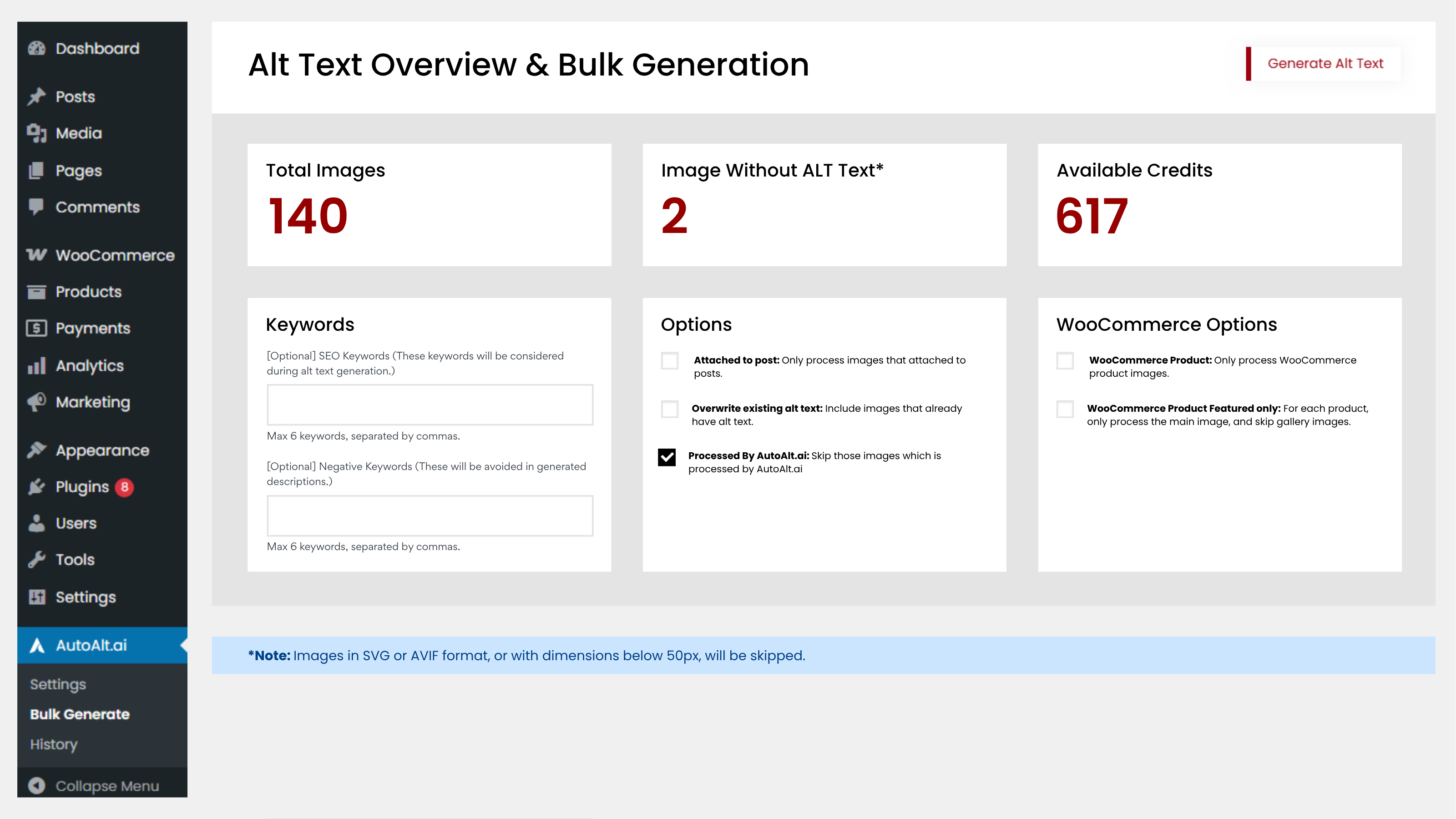
Dashboard Overview – See your credit balance, processed images, and compliance status at a glance. 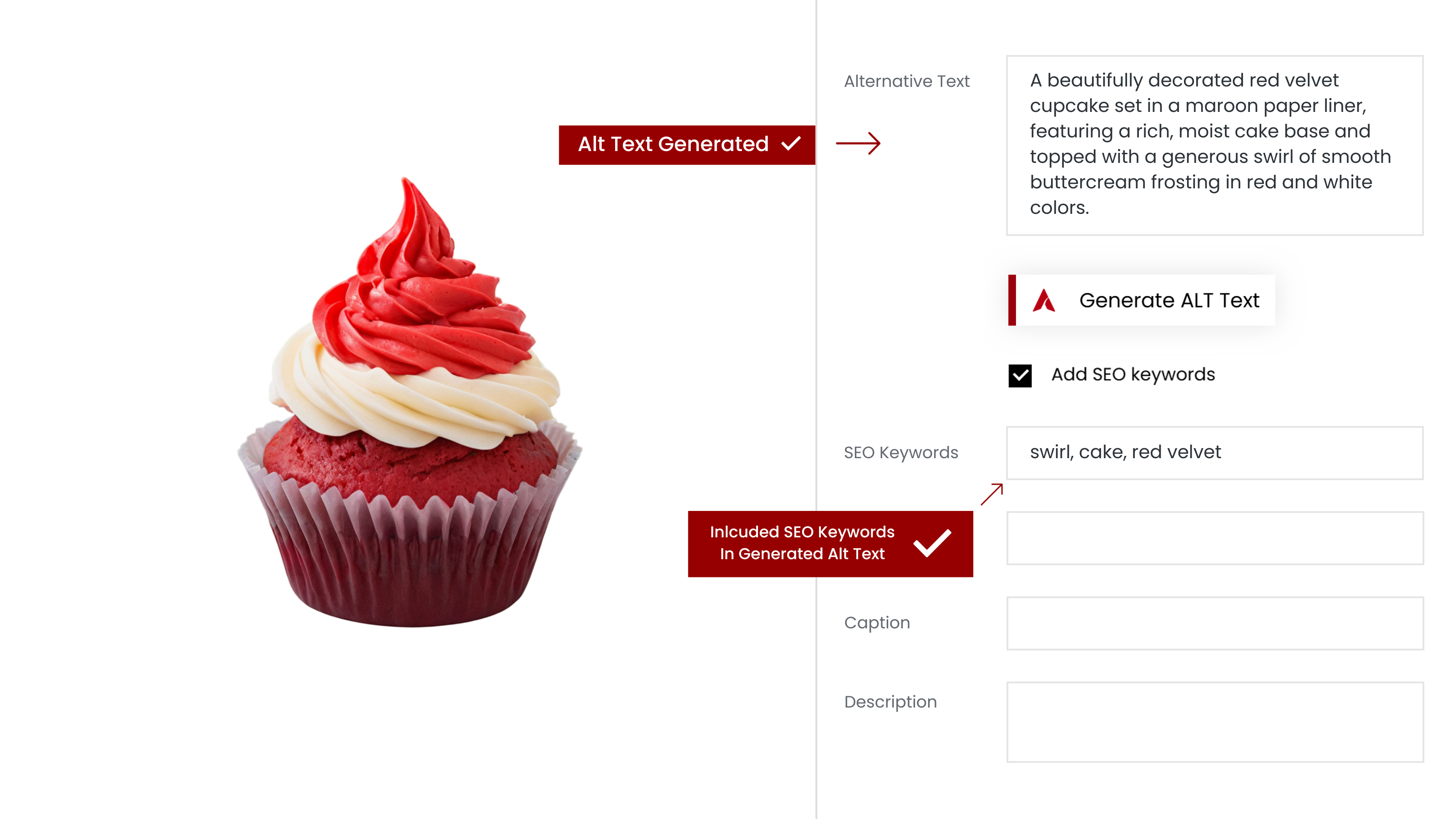
Media Library Integration – Generate alt texts directly from your WordPress Media Library with one click. 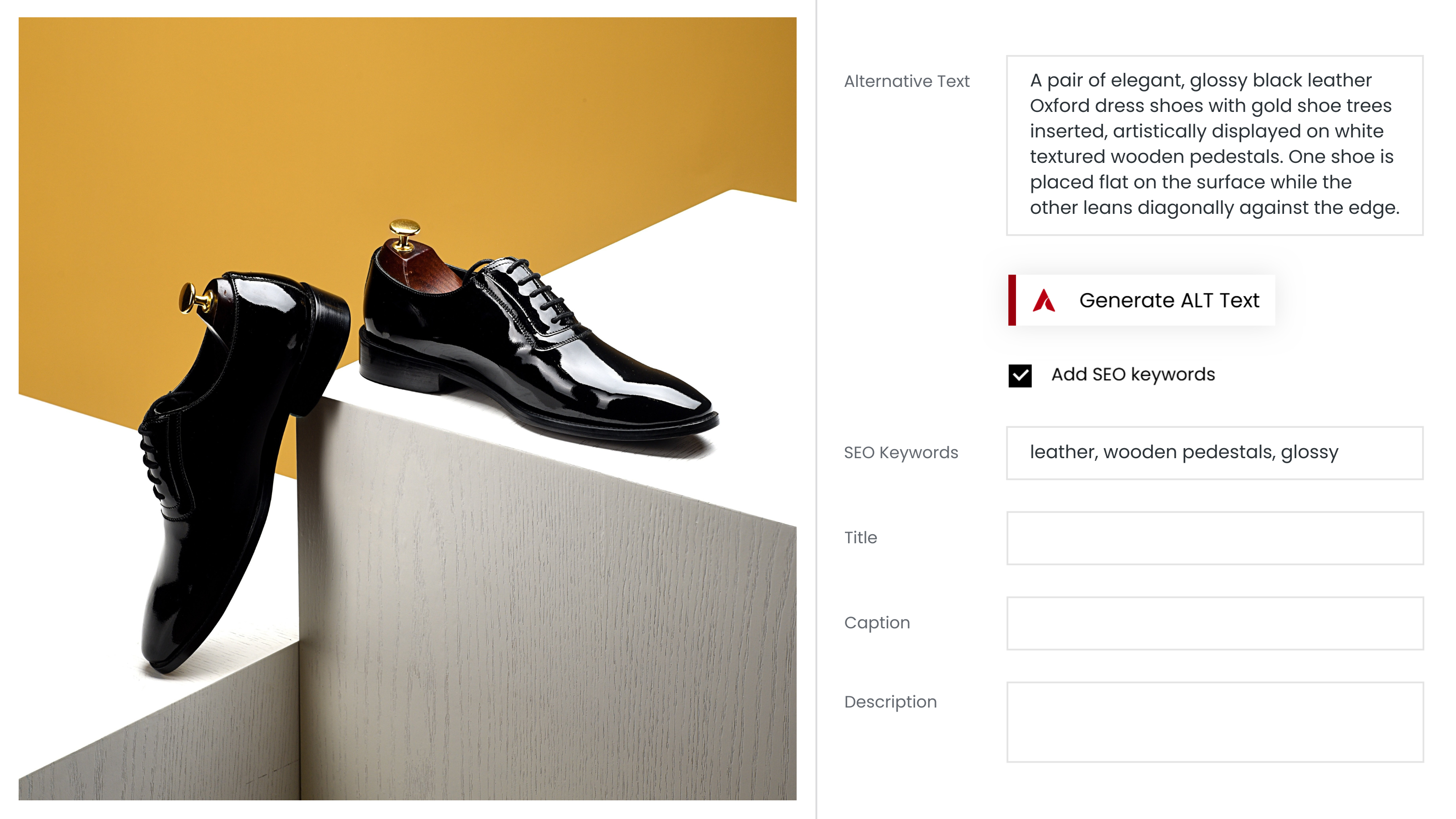
Single Image Generation – Click the AutoAlt button to generate an optimized alt text instantly. 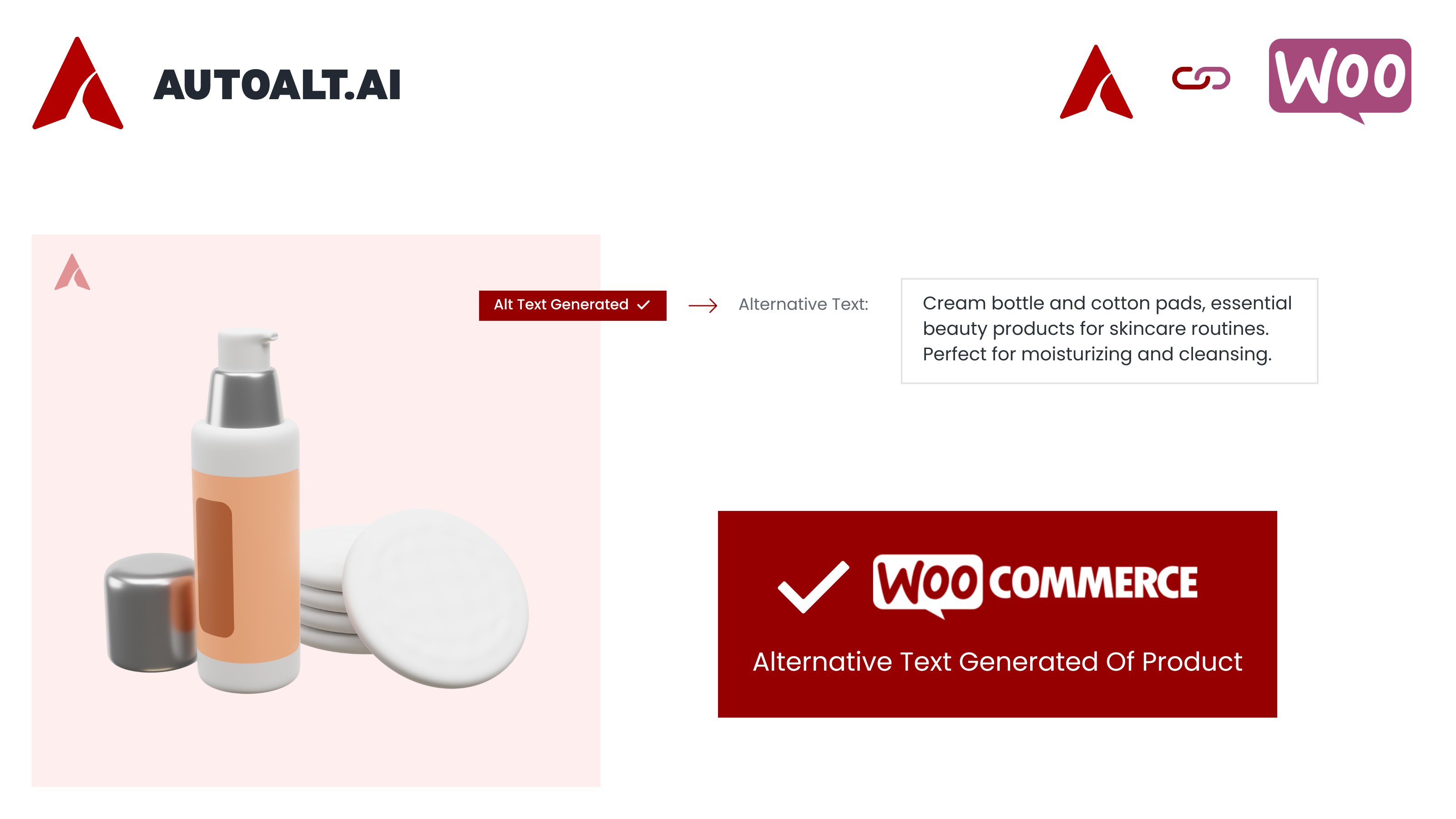
WooCommerce Integration – Generate alt texts for product images right from the product edit screen. 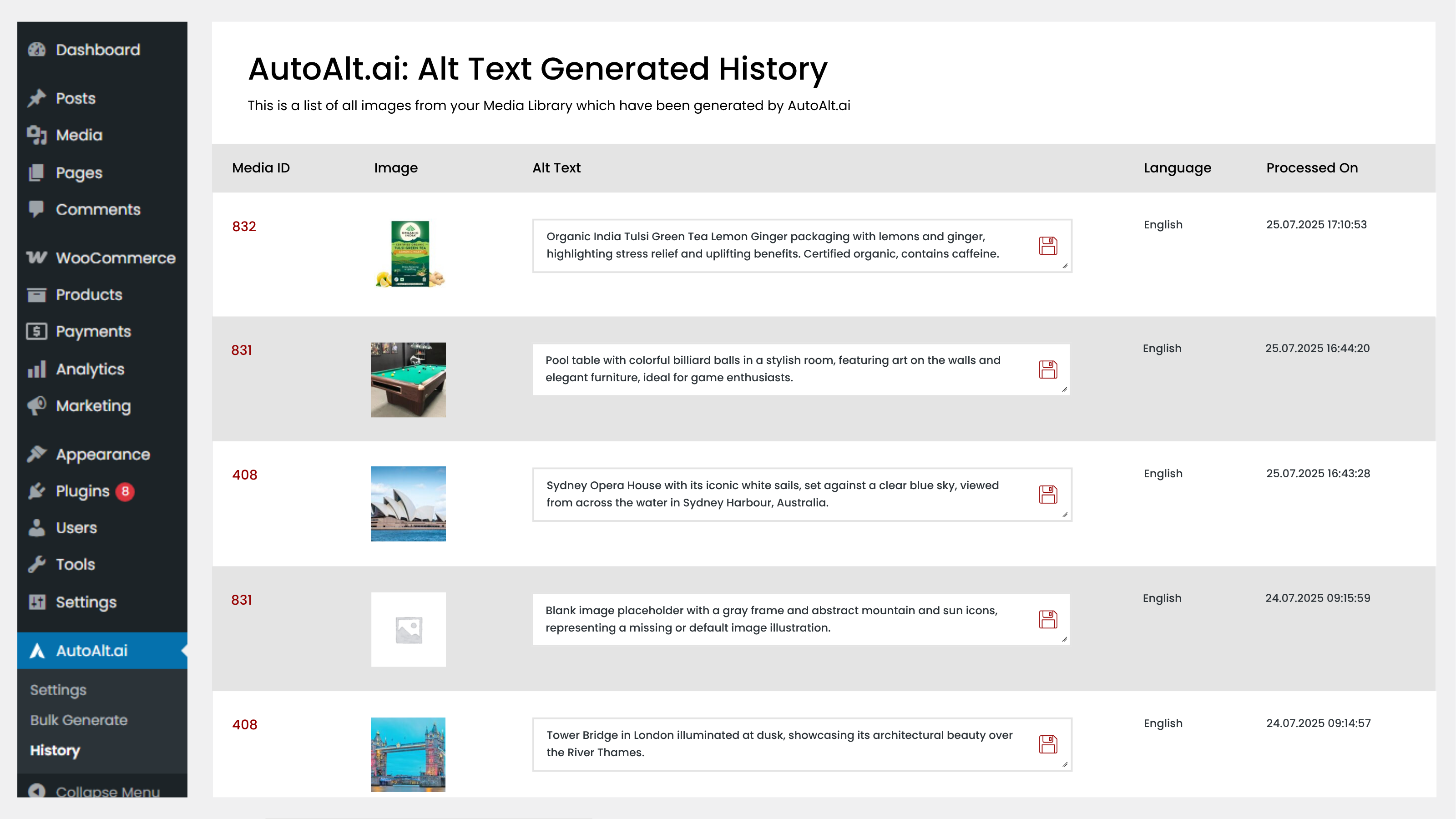
Alt Text History – Image Processing History & Language-Based Alt Text Quick Editing 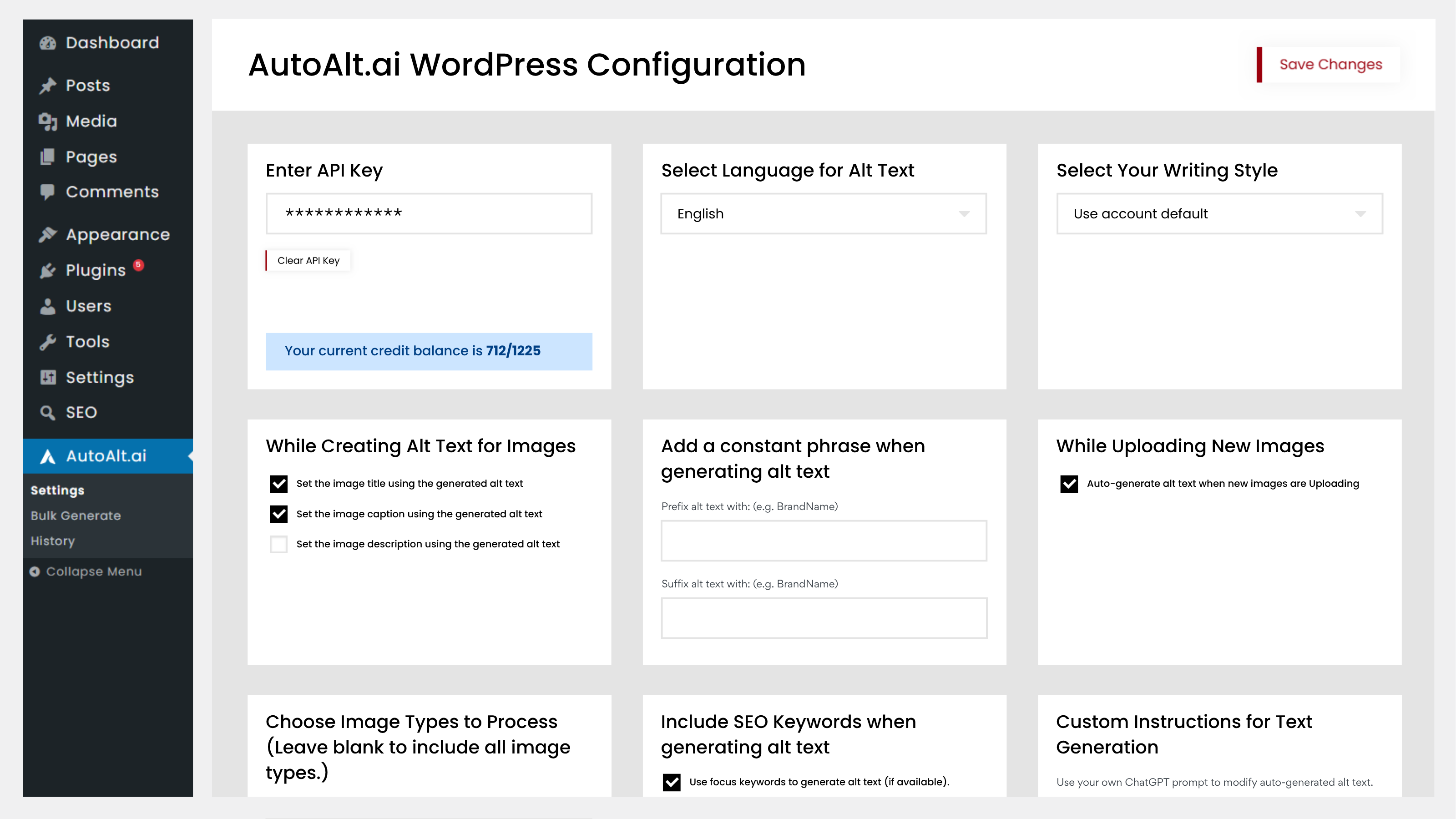
Settings Panel – Configure language, keywords, and API settings. 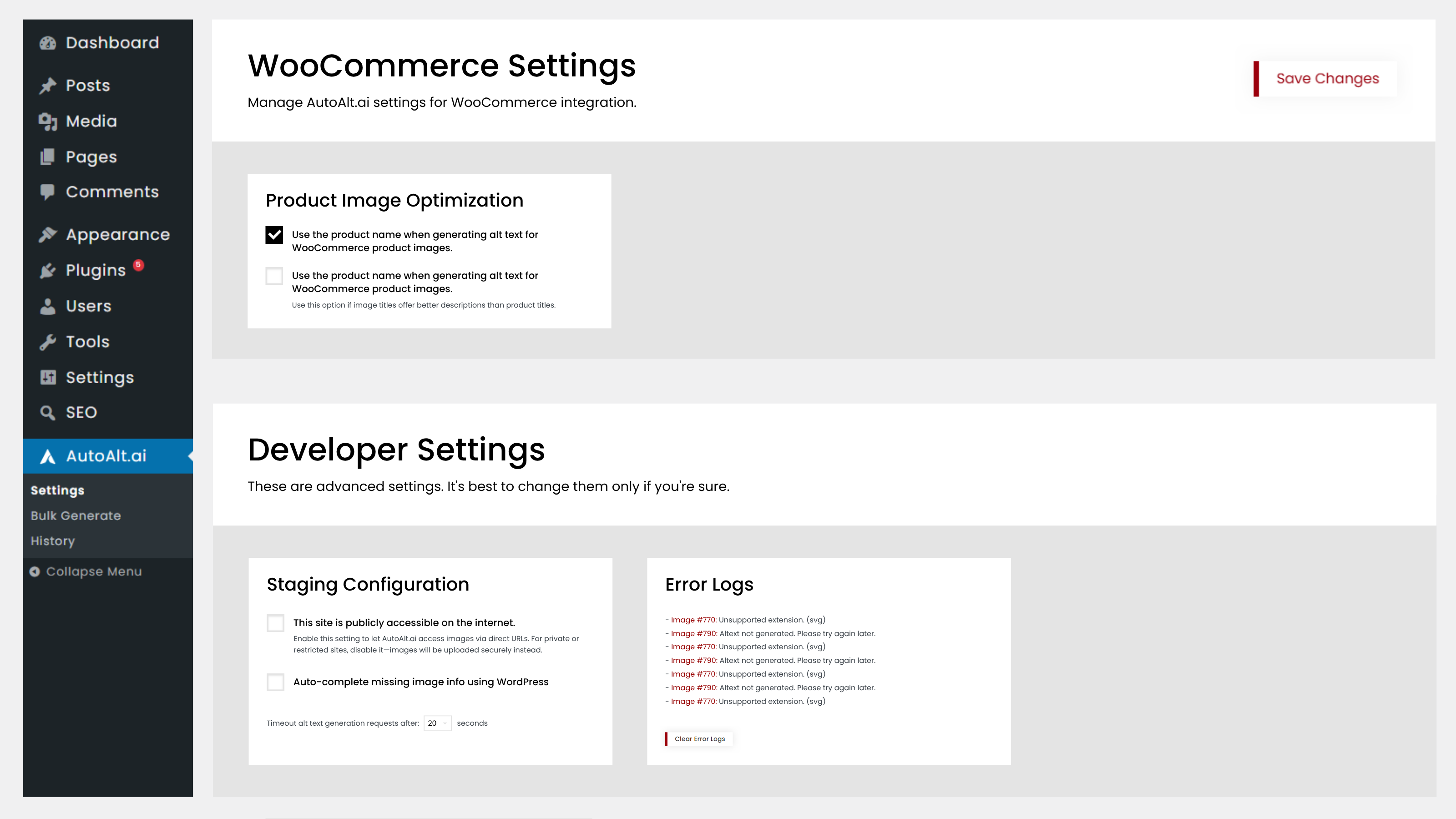
Settings Panel – WooCommerce and Developer Settings.
Installation
Automatic Installation
- Go to Plugins Add New in your WordPress admin
- Search for “AutoAltai”
- Click Install Now, then Activate
- Go to Settings AutoAlt and enter your email
- Click “Create Account” – your API key is auto-configured
- Start generating alt texts!
Manual Installation
- Download the plugin ZIP file
- Go to Plugins Add New Upload Plugin
- Upload the ZIP and click Install Now
- Activate and configure as above
Requirements
- WordPress 5.8 or higher
- PHP 7.4 or higher
- Active internet connection
FAQ
-
Is AutoAlt compliant with EAA and ADA?
-
Yes! All generated alt texts automatically meet WCAG 2.1 Level AA standards, which is the technical requirement behind both the European Accessibility Act (EAA) and Americans with Disabilities Act (ADA).
-
Are my images stored or used for AI training?
-
No. Your images are processed once to generate alt text, then immediately deleted. We never store your images or use them for AI training. We use OpenAI and Google AI for processing – only image data is transmitted, no metadata.
-
Does it work with WooCommerce?
-
Yes! AutoAlt fully integrates with WooCommerce. Generate alt texts for product images, gallery images, and variation images directly from the product edit screen.
-
What languages are supported?
-
AutoAlt supports 100+ languages including: German, English, French, Spanish, Italian, Dutch, Polish, Portuguese, Swedish, Danish, Japanese, Chinese, Korean, and more.
-
Can I control which keywords appear in alt texts?
-
Yes! AutoAlt offers Smart Keyword Control:
* Add mandatory keywords (brand names, product categories)
* Block unwanted keywords (competitor names, irrelevant terms)
* Customize the AI prompt for your brand voice -
How fast is the alt text generation?
-
2-3 seconds per image. Bulk processing runs in the background and handles large libraries efficiently.
-
Will I lose alt texts if I deactivate the plugin?
-
No. Generated alt texts are stored in your WordPress database as standard image metadata. They remain even if you deactivate or uninstall AutoAlt.
-
Who is behind AutoAlt?
-
AutoAlt is developed by webAufstieg GmbH, a German company based in Aalen, Baden-Württemberg. We provide support in German and English.
-
Where can I get support?
-
- Documentation: https://www.autoalt.ai/docs/wordpress/
- Email: support@autoalt.ai
- Response time: Usually within 24 hours (business days)
See our FAQ for answers to our most common questions.
ವಿಮರ್ಶೆಗಳು


Contributors & Developers
“AI Alt Text Generator for SEO & Accessibility | AutoAlt” is open source software. The following people have contributed to this plugin.
ಕೊಡುಗೆದಾರರು
“AI Alt Text Generator for SEO & Accessibility | AutoAlt” has been translated into 4 locales. Thank you to the translators for their contributions.
Translate “AI Alt Text Generator for SEO & Accessibility | AutoAlt” into your language.
Interested in development?
Browse the code, check out the SVN repository, or subscribe to the development log by RSS.
Changelog
1.0.5.1
- Added 3-state field control (Generate, Keep, Clear) for alt text, title, description, and caption
- Replaced checkboxes with Selectbox
- Optimized generation logic to avoid unnecessary API calls
- Maintained backward compatibility with existing settings
1.0.5
- Simplified Registration & Login Process
- Automatic API Key Configuration
- Live Alt Text Generation Preview
- Bulk Generation Email Notifications
- AI-Based Image Filename Optimization
1.0.4.1
- Fixed an issue where alt text could not be updated correctly from the History page.
- Improved stability when saving updated alt text entries.
1.0.4
- Stable Release
- Plugin Improvements
- Language Improvements
- Bug Fixes
1.0.3.2
- Performance improvements
- Fixed button styling issue
- Optimized JavaScript code
1.0.3.1
- Fixed Language issue
1.0.3
- Now plugin support for new image file formats: SVG and AVIF.
- Added plugin interface translations for German, French, Dutch, Spanish, and Italian.
- Added option to set Min & Max length for ALT text
Fixes: - Fixed issue with Category Media not working with Focus Keyword in Yoast & RankMath
- Fixed Blank API key error when someone saves with blank
- Fixed an issue where settings were not applied immediately to the currently open tab after saving.
1.0.2
Security Issue Fixed
1.0.1
Tested up to WordPress 6.8.
1.0.0
Initial release. Install now to start generating SEO-optimized, accessible alt texts for your images.