
ವಿವರಣೆ
Chronition Ad Manager places Google AdSense ad units and your own image banners exactly where you want them, and decides who sees them and when. You never paste code: enter your AdSense publisher and ad unit IDs (or choose a banner image), and the plugin writes the official markup for you.
Ad types
- Google AdSense ad units: responsive, in-article or fixed size, from your publisher ID and ad unit (slot) ID.
- AdSense Auto ads: switch them on with your publisher ID.
- Image banners: any image from your media library with a link (marked
rel="sponsored", as Google asks), alternative text and “open in a new tab”.
Place ads anywhere
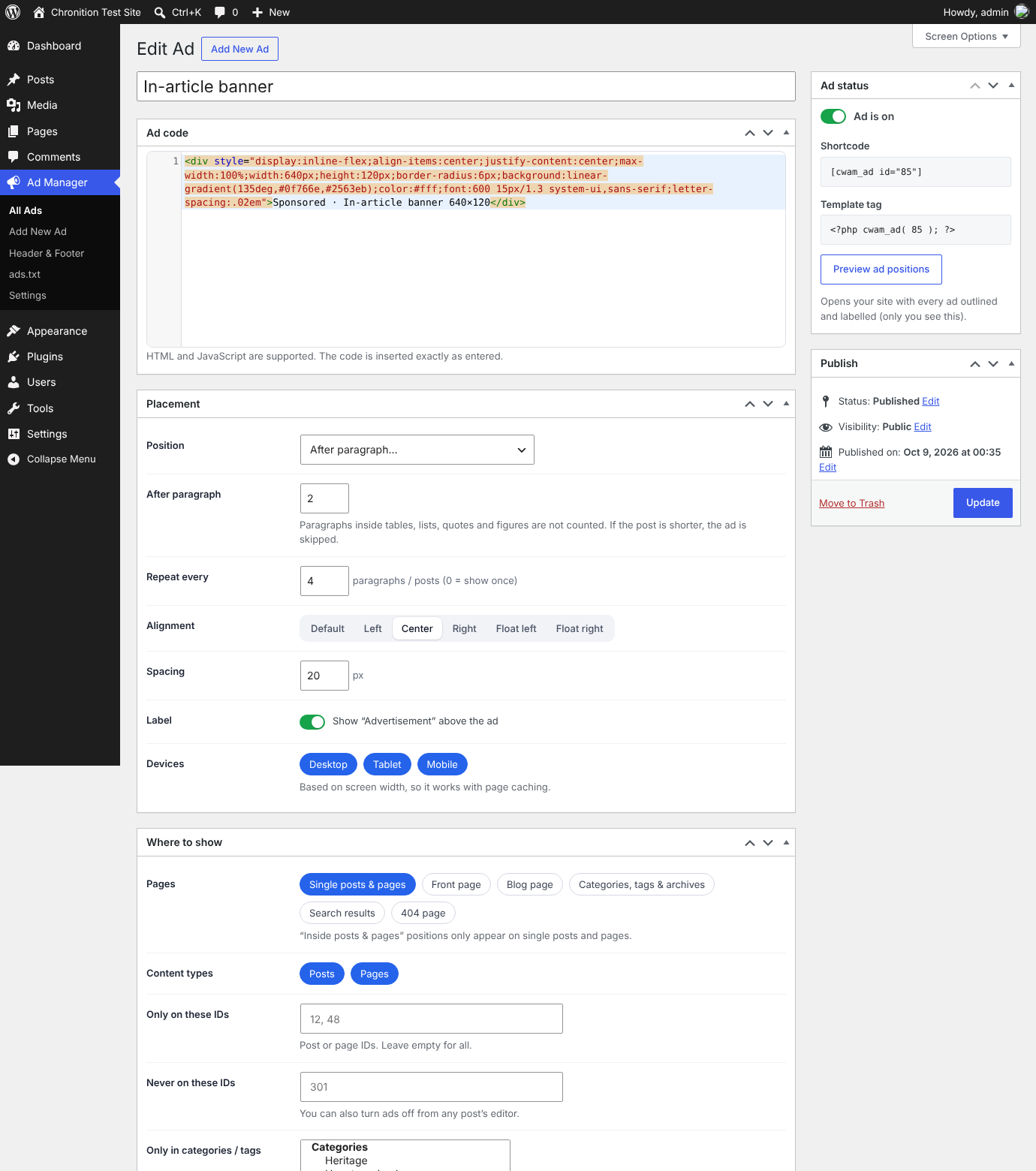
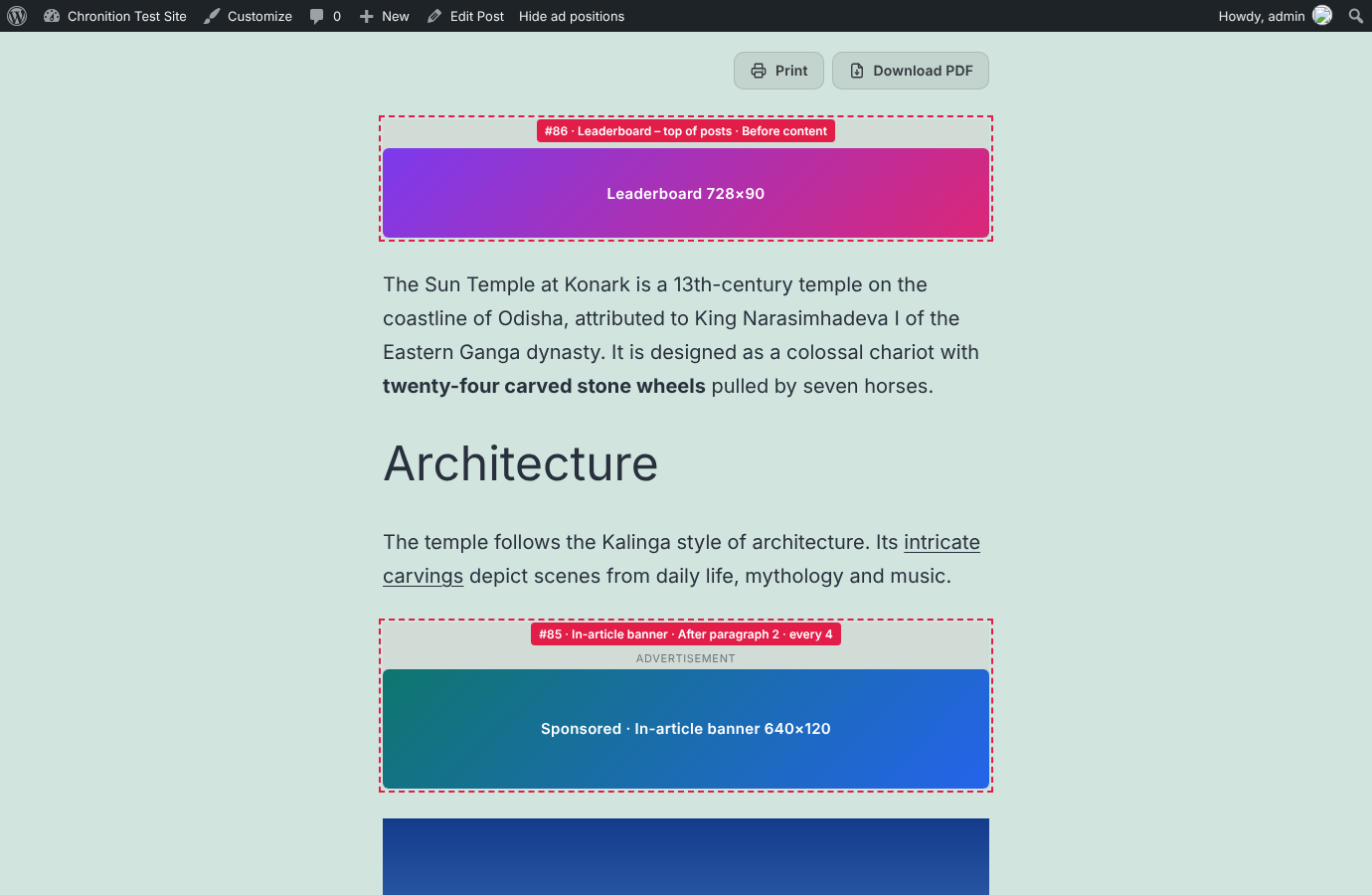
- Inside posts and pages: before the content, after any paragraph (with “repeat every N paragraphs”), in the middle, or after the content. Paragraphs inside tables, lists, quotes and figures are skipped, so ads never break your layout.
- Between posts on your blog page, categories, tags and archives. Works with classic themes and block themes (Query Loop).
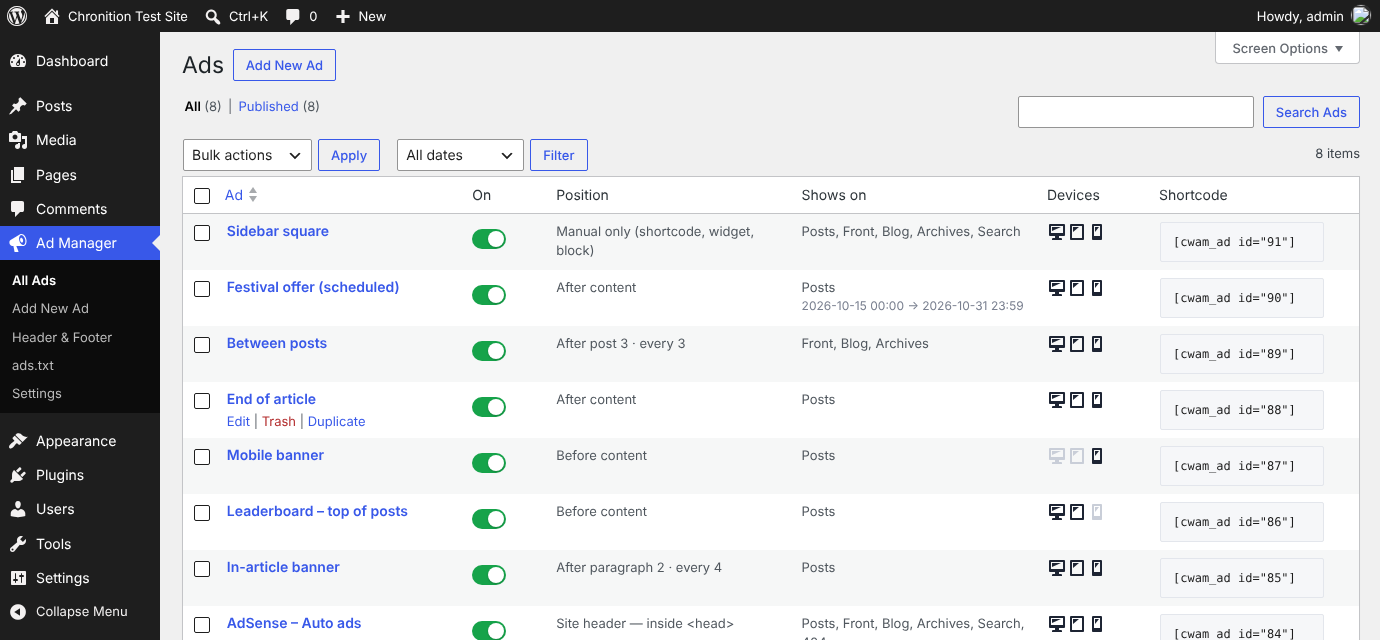
- Manually with a shortcode, the “Ad” block, the “Ad” widget or a template tag.
Show each ad to the right people
- Pages: single posts and pages, front page, blog page, archives, search results, 404.
- Content types, specific post IDs, and categories or tags to include or exclude.
- URL contains / does not contain.
- Devices: desktop, tablet and mobile (based on screen width, so it works with page caching).
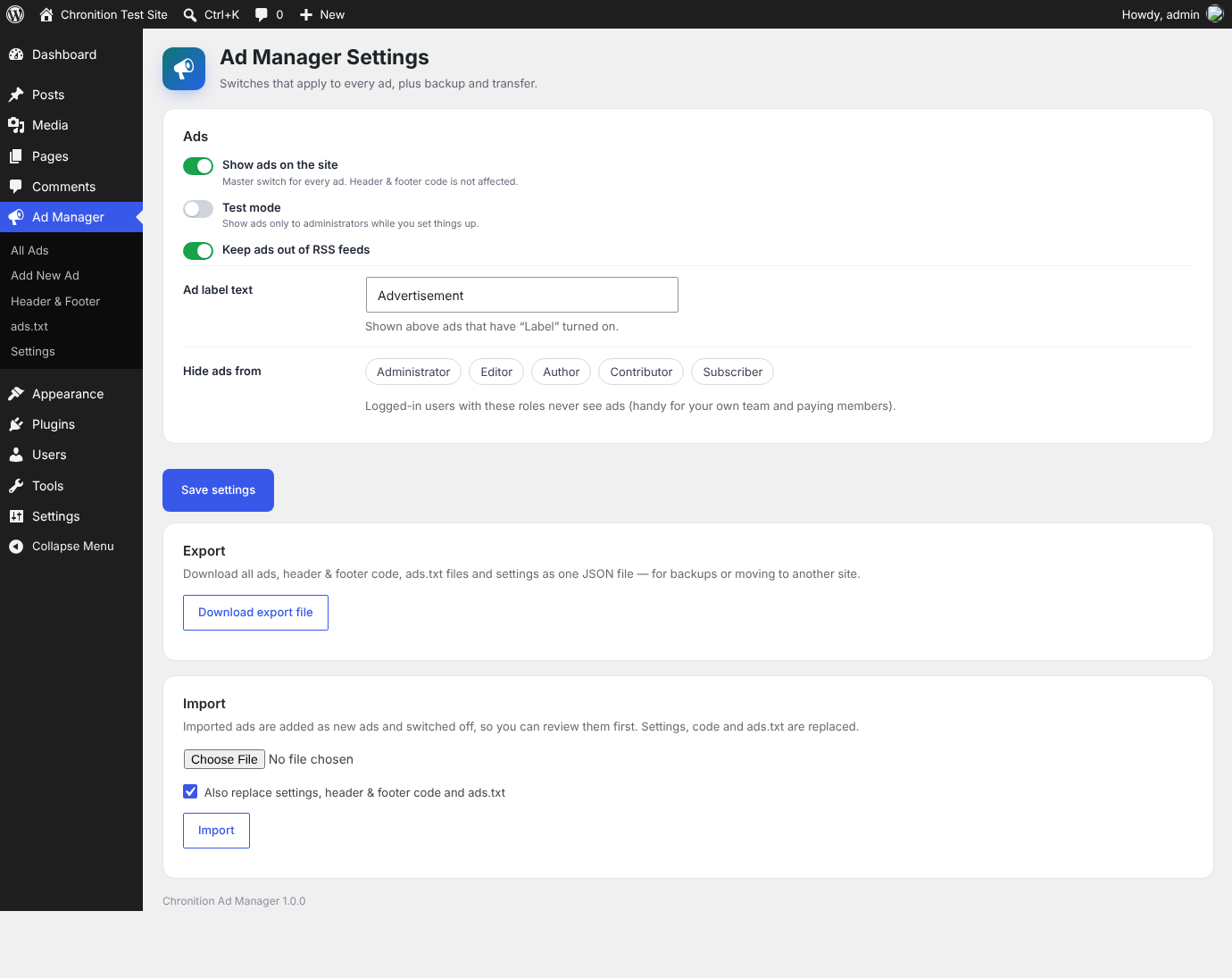
- Visitors: everyone, logged-out only or logged-in only. Hide ads from chosen user roles.
- Schedule: start and end date and time.
- Minimum post length.
ads.txt and app-ads.txt
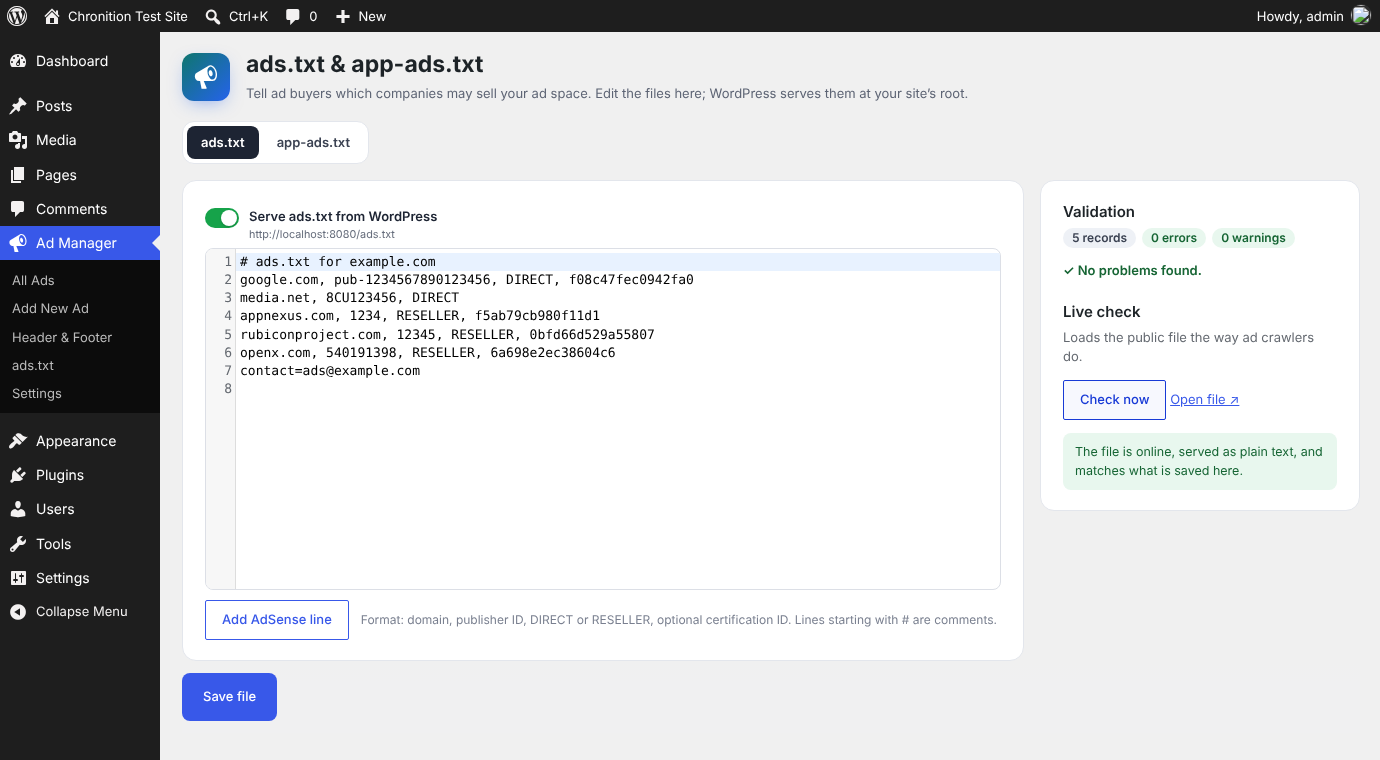
- Edit both files in WordPress. They are served at your site root, with no file uploads needed.
- Live validation that shows errors and warnings line by line (IAB ads.txt 1.1).
- An “Add AdSense line” helper.
- A live check that confirms the public file matches what you saved.
- Finds an existing ads.txt file on the server and imports it for you.
Google & tracking by ID
Enter an ID and the plugin adds the official snippet:
- Google Analytics 4 (measurement ID)
- Google Tag Manager (container ID)
- Meta Pixel (pixel ID)
- Site verification for Google Search Console, Bing and Pinterest
Your own visits as an administrator are not tracked unless you choose so.
Built for real sites
- Ads are on/off with one click from the list, and can be duplicated.
- “Preview ad positions” outlines and labels every ad on your site, visible only to you.
- Test mode shows ads only to administrators while you set up.
- Per-post switch to turn off all ads on a page.
- Optional “Advertisement” label, alignment, floating and spacing.
- Fast: active ads are compiled into a single cached option, so pages do not run extra database queries to find ads.
Ad Manager Pro
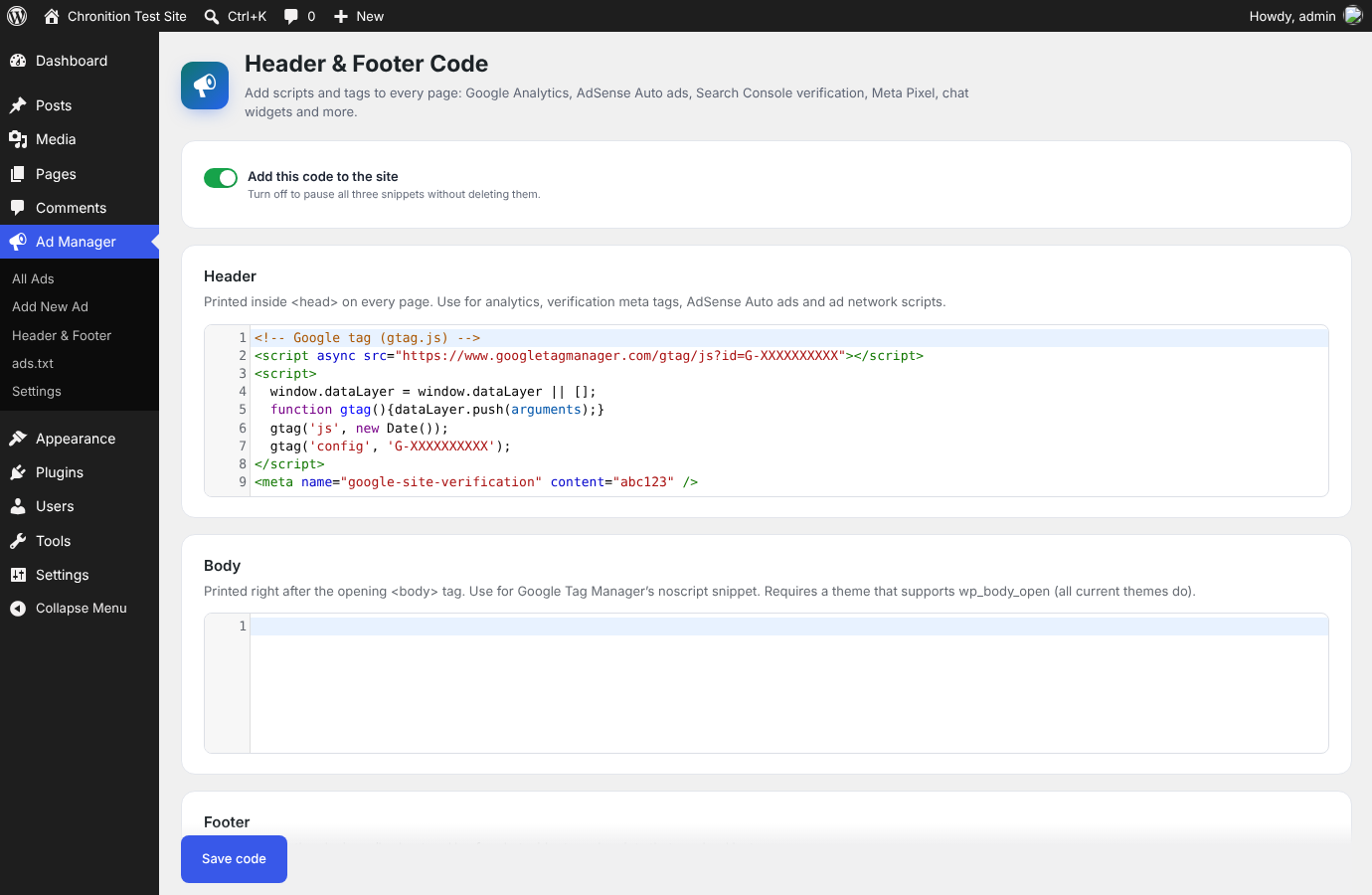
An optional paid add-on, Chronition Ad Manager Pro, adds custom code ads for any ad network, header and footer code, sticky, side-rail and pop-up ads, rotation and A/B tests, lazy loading, impression and click statistics, an ad-blocker message, consent support and import/export. This plugin is complete and fully functional without it.
External services
This plugin connects to third-party services only when you enter an ID for them. Nothing is loaded until you do.
- Google AdSense — when you create an AdSense ad or turn on Auto ads, visitors’ browsers load
https://pagead2.googlesyndication.com/pagead/js/adsbygoogle.jswith your publisher ID so Google can show ads. Google receives the visitor’s IP address, browser details and the page address, and may set cookies. Terms — Privacy — AdSense policies - Google Analytics 4 — when you enter a measurement ID, visitors’ browsers load
https://www.googletagmanager.com/gtag/jsand send page views to Google Analytics. Terms — Privacy - Google Tag Manager — when you enter a container ID, visitors’ browsers load
https://www.googletagmanager.com/gtm.js(andns.htmlwithout JavaScript), which runs the tags you set up in Tag Manager. Terms — Privacy - Meta Pixel — when you enter a pixel ID, visitors’ browsers load
https://connect.facebook.net/en_US/fbevents.jsand send page views to Meta (https://www.facebook.com/tr). Terms — Privacy - Site verification codes for Google Search Console, Bing and Pinterest are printed as meta tags; your site does not contact those services.
- ads.txt live check — the “Check now” button requests your own site’s ads.txt file from your server. No other site is contacted.
If your visitors are in a region that requires consent for advertising or analytics cookies, use a consent plugin or the consent option of Ad Manager Pro.
ಸ್ಕ್ರೀನ್ಶಾಟ್ಗಳು
ಬ್ಲಾಕ್ಸ್
ಈ ಪ್ಲಗಿನ್ 1 ಬ್ಲಾಕ್ ಅನ್ನು ಒದಗಿಸುತ್ತದೆ.
- Ad
ಸ್ಥಾಪನೆ
- In your dashboard go to Plugins Add New, search for “Chronition Ad Manager”, then install and activate it.
- Open Ad Manager Google & Tracking and enter your AdSense publisher ID.
- Open Ad Manager Add New Ad, enter the ad unit ID (or choose a banner image), choose a position and publish.
- For ads.txt, open Ad Manager ads.txt, use “Add AdSense line”, turn on “Serve ads.txt from WordPress” and save.
FAQ
-
Where do I find my AdSense IDs?
-
The publisher ID (ca-pub-…) is under AdSense Account Account information. The ad unit ID is the number in
data-ad-slotof the ad unit’s code (AdSense Ads By ad unit). -
Can I paste ad code from other networks?
-
Not in the free plugin, which only uses IDs and images so that nothing unchecked is printed on your site. Ad Manager Pro adds custom code ads for any network.
-
My ads.txt shows a 404 or an old version
-
- Make sure “Serve ads.txt from WordPress” is on and saved.
- If a real
ads.txtfile exists in your site folder, the server shows that file instead. The ads.txt screen detects it and can import and rename it. - Some server setups (usually Nginx) don’t pass requests for missing
.txtfiles to WordPress. Ask your host to send missing files toindex.php. - Clear any page or CDN cache.
The “Check now” button tells you which of these applies.
-
Does ads.txt work if WordPress is in a sub-folder or on a subdomain?
-
Ad systems read ads.txt from the root of the domain. The ads.txt screen warns you when your site is in a sub-folder or on a subdomain and explains what to do.
-
How do I hide ads on one page?
-
Tick “Turn off all ads on this page” in the “Ads” box in that page’s editor, or add its ID under “Never on these IDs” in the ad.
-
Is it compatible with caching plugins?
-
Yes. Device targeting uses CSS media queries rather than detecting the device on the server, so cached pages show the right ads on every screen size.
-
Will it slow down my site?
-
No. Active ads are read from a single cached option and the front-end stylesheet is a few hundred bytes, printed inline only when an ad is shown. Google’s AdSense script is loaded asynchronously, once per page.
ವಿಮರ್ಶೆಗಳು
ಈ ಪ್ಲಗಿನ್ಗೆ ಯಾವುದೇ ವಿಮರ್ಶೆಗಳಿಲ್ಲ.
ಕೊಡುಗೆದಾರರು & ಡೆವಲಪರ್ಗಳು
“Chronition Ad Manager” ಓಪನ್ ಸೋರ್ಸ್ ಸಾಫ್ಟ್ವೇರ್ ಆಗಿದೆ. ಕೆಳಗಿನ ಜನರು ಈ ಪ್ಲಗಿನ್ಗೆ ಕೊಡುಗೆ ನೀಡಿದ್ದಾರೆ.
ಕೊಡುಗೆದಾರರು
“Chronition Ad Manager” ಅನ್ನು ನಿಮ್ಮ ಭಾಷೆಗೆ ಅನುವಾದಿಸಿ.
ಅಭಿವೃದ್ಧಿಯಲ್ಲಿ ಆಸಕ್ತಿ ಇದೆಯೇ?
ಕೋಡ್ ಬ್ರೌಸ್ ಮಾಡಿ, SVN ರೆಪೊಸಿಟರಿ ಪರಿಶೀಲಿಸಿ, ಅಥವಾ ಅಭಿವೃದ್ಧಿ ಲಾಗ್ ಗೆ RSS ಚಂದಾದಾರರಾಗಿ.
Changelog
1.1.0
- Initial release on WordPress.org.