

ವಿವರಣೆ
KiriminAja is a platform that makes it easy to send packages and find expeditions according to people’s needs, with COD and Non-COD delivery methods developed by PT Selalu Siap Solusi.
Key Features:
– Ease of sending packages with various expedition options.
– COD (Cash On Delivery) delivery service with daily fund disbursement and package pickup system at home by the expedition.
– Non-COD package delivery service with package pickup system at home by the expedition.
– Platform that can help online business people control and manage their business better.
– With the services and innovations offered, KiriminAja is committed to contributing to the Indonesian economy, by providing solutions and convenience for online business people so that their business continues to grow.
This plugin is perfect for eCommerce store owners looking for a hassle-free shipping solution.
External Services
This plugin connects to KiriminAja API services to provide shipping functionality for your WooCommerce store.
KiriminAja API
– Service: https://client.kiriminaja.com
– Purpose: Process shipping rates, create shipments, track packages, and manage pickup requests
– Data sent: Shipping addresses, package dimensions and weight, order details, customer information
– When: Every time shipping rates are calculated, when shipments are created, and when tracking packages
– Terms of Service: https://kiriminaja.com/syarat-ketentuan
– Privacy Policy: https://kiriminaja.com/privacy-policy
KiriminAja Callback (Webhook)
– Endpoint (on your site): /?feed=kiriminaja-callback
– Purpose: Receive shipment/pickup status updates from KiriminAja
– Data received: Package status events including order IDs, AWB, and timestamps
– Authentication: Requires an Authorization header; the token is validated against the API key configured in the plugin
Print.js Library
– This plugin includes Print.js (https://github.com/crabbly/Print.js) for printing shipping labels
– Source code: https://github.com/crabbly/Print.js
– License: MIT
Select2 Library
– This plugin includes Select2 (https://github.com/select2/select2) for searchable select fields
– Source code: https://github.com/select2/select2
– License: MIT
By using this plugin, you acknowledge that your store will communicate with KiriminAja’s servers to provide shipping services. Please review KiriminAja’s terms of service and privacy policy before using this plugin.
Links
ಸ್ಕ್ರೀನ್ಶಾಟ್ಗಳು
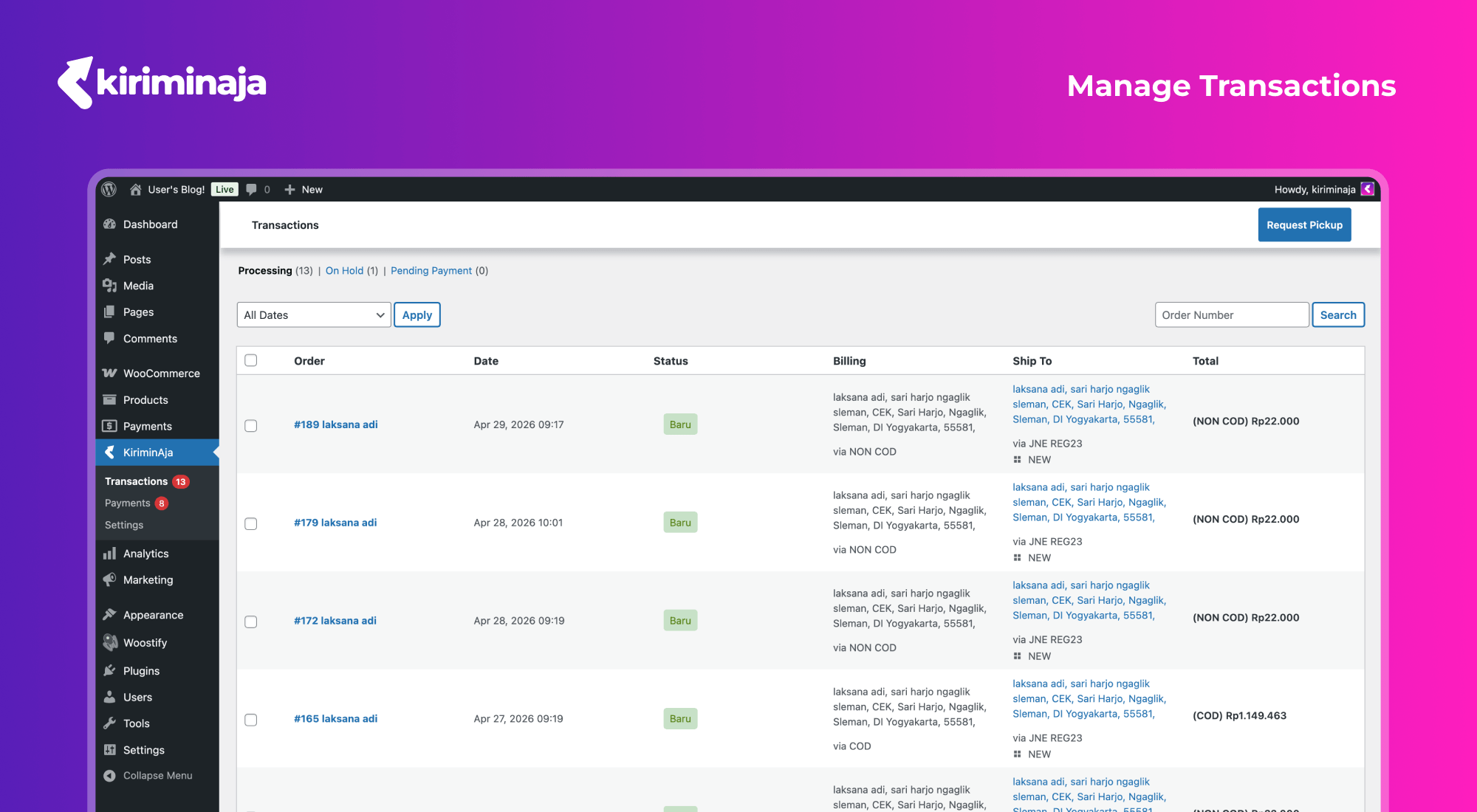
Manage all your transactions in one place — view order details, statuses, and shipping info at a glance 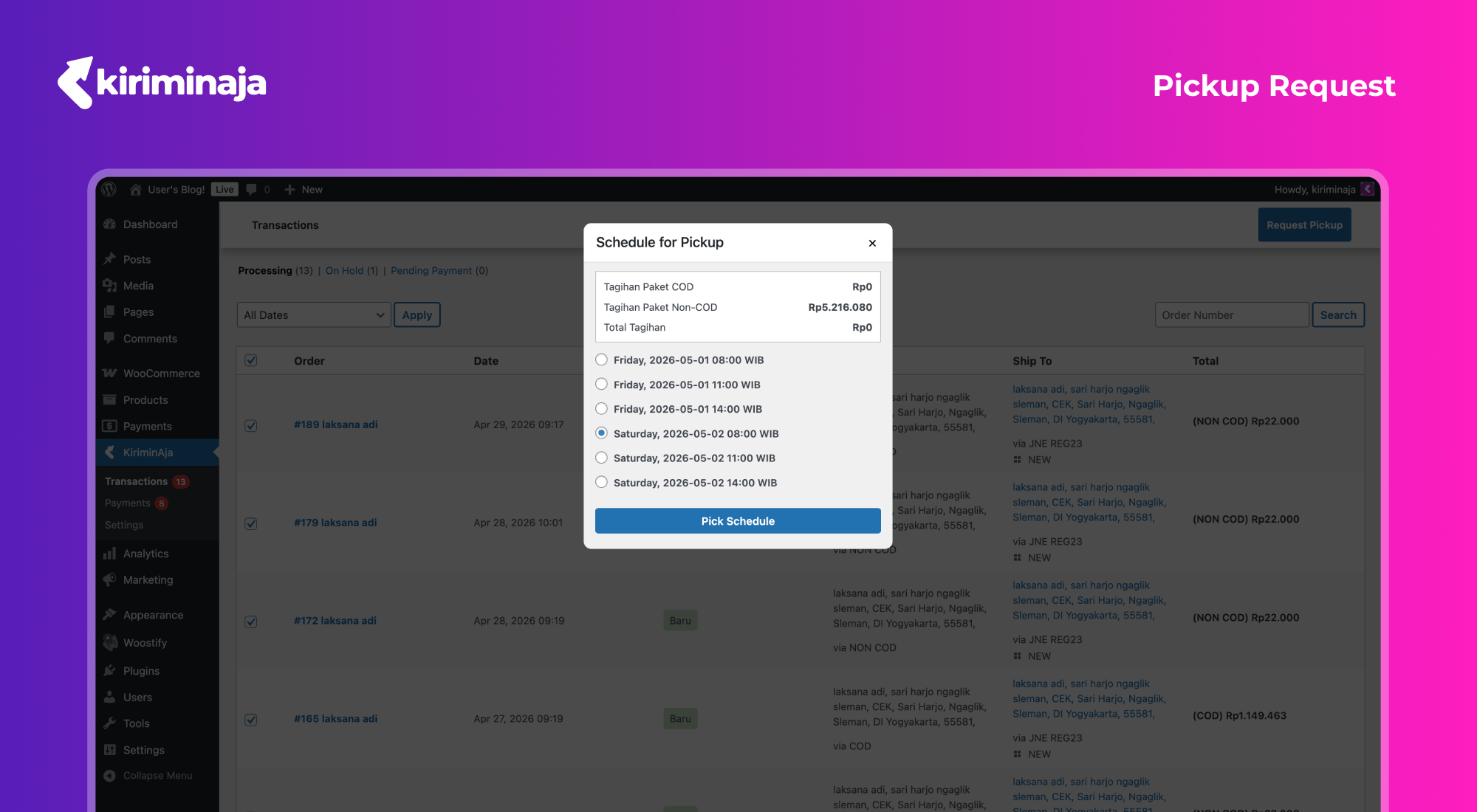
Handle shipments effortlessly — monitor delivery progress and track every package 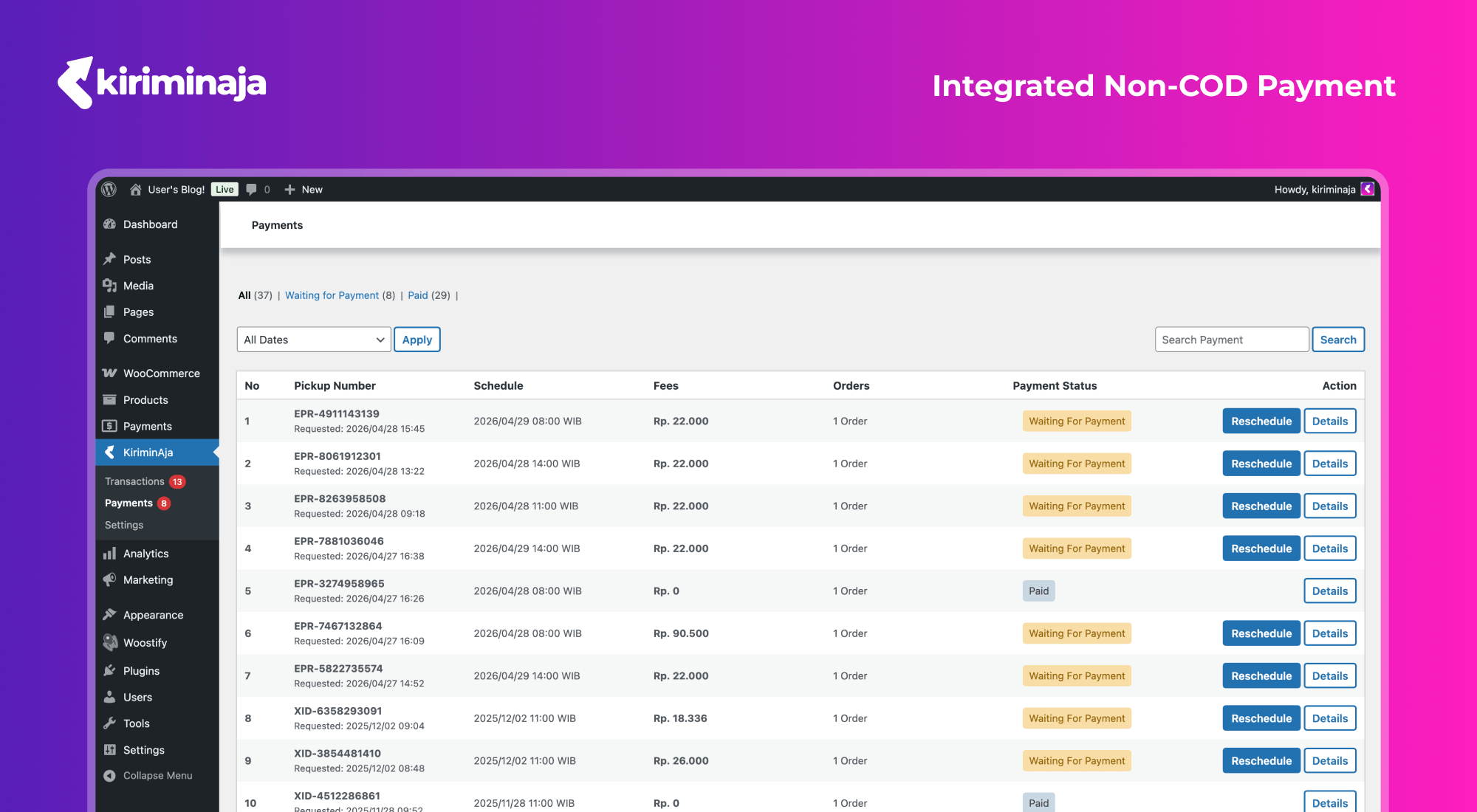
Schedule and manage pickups — request courier pickups with just a few clicks 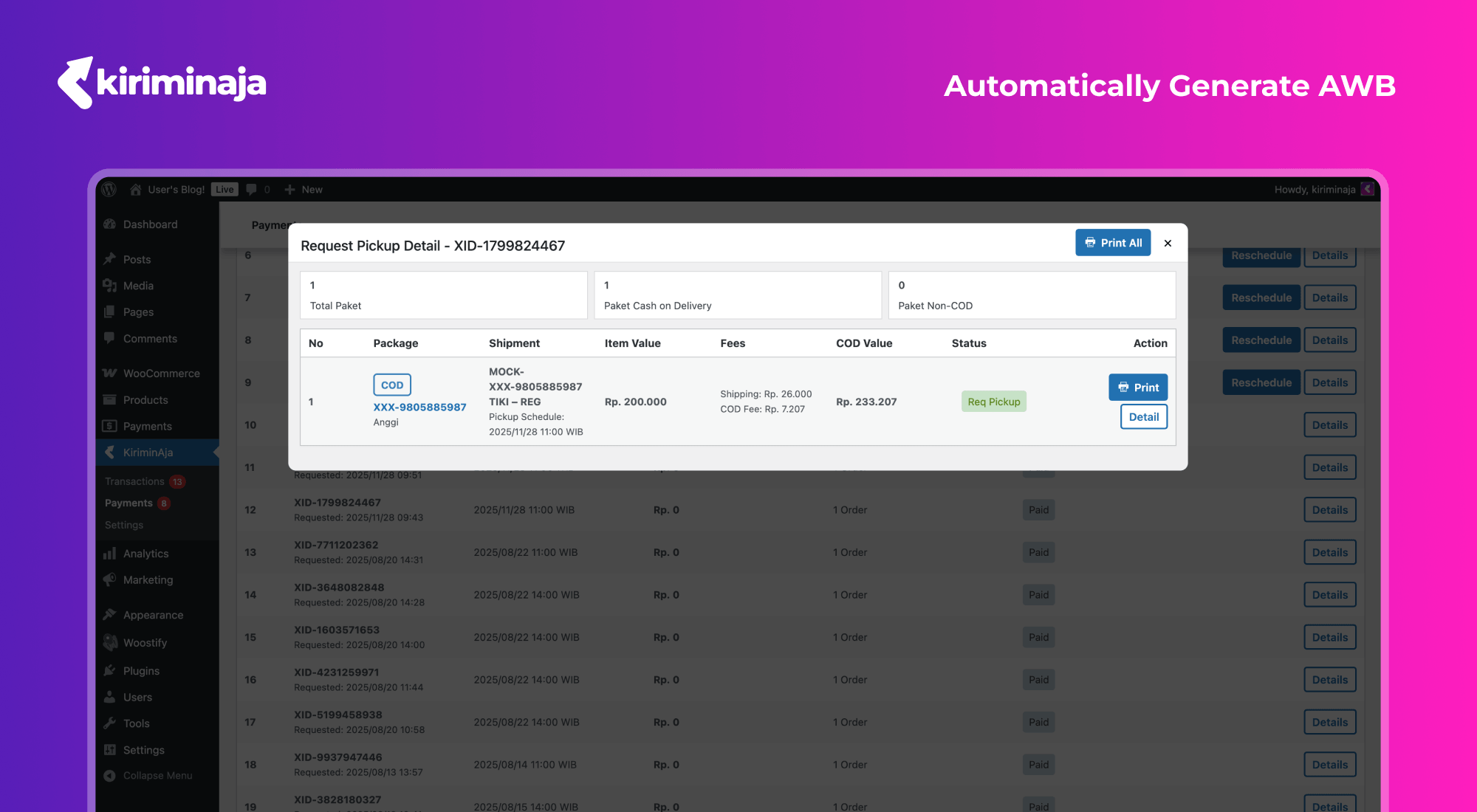
AWB generated automatically — no manual input, shipping labels ready to print instantly 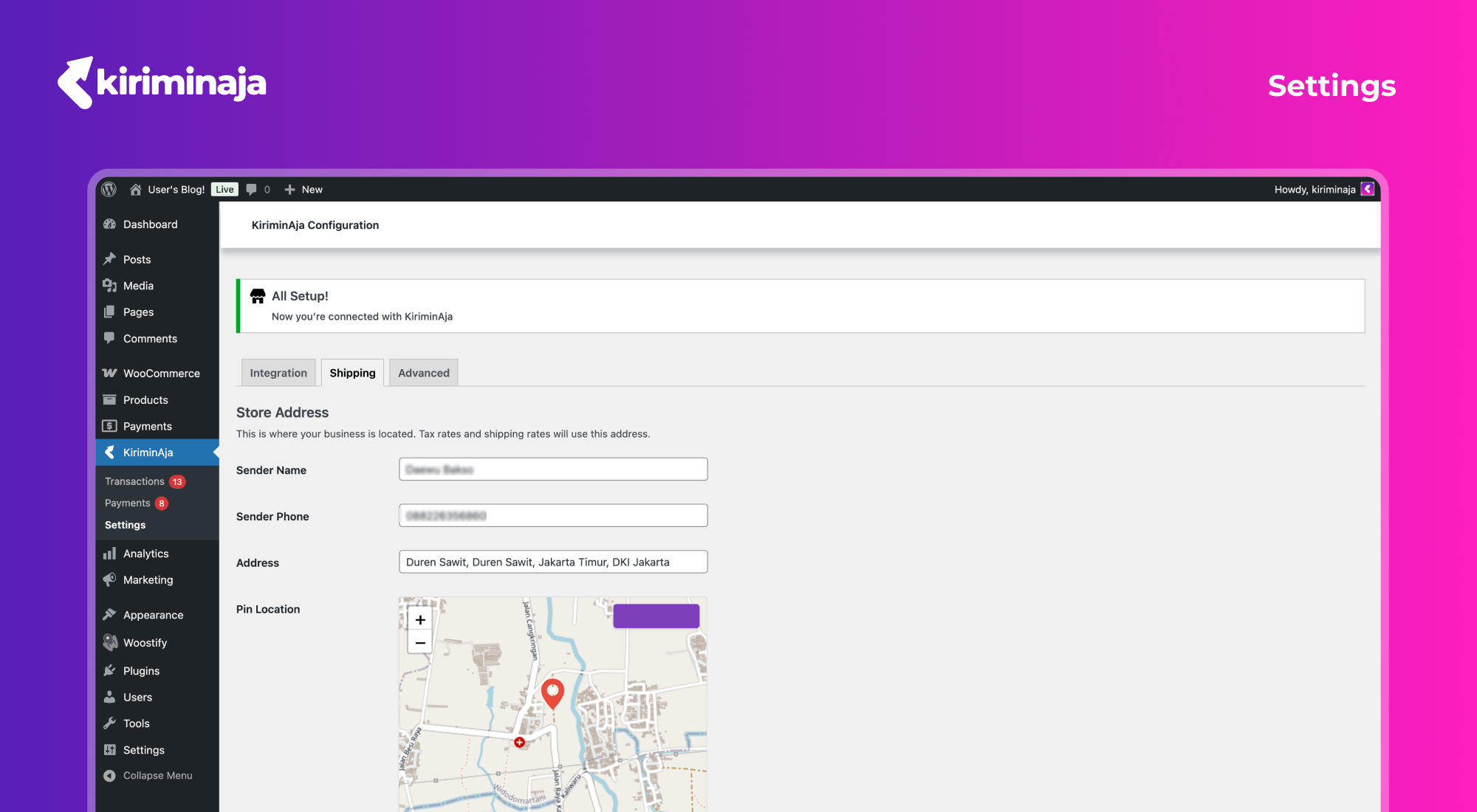
Simple configuration — connect your store, set your address, and start shipping in minutes
ಸ್ಥಾಪನೆ
- Make sure WooCommerce is installed and activated.
- Upload the plugin files to the
/wp-content/plugins/kiriminaja-officialdirectory, or install the plugin through the WordPress plugins screen directly. - Activate the plugin through the ‘Plugins’ screen in WordPress.
- Go to app.kiriminaja.com/settings/api-request, request integration with WordPress, and copy your Setup Key.
- Navigate to
KiriminAja > Integrationand enter your Setup Key. - Navigate to
KiriminAja > Shipping, fill in your store address, pin your location on the map, select your area, and save. - Optionally, configure your courier whitelist under the Shipping tab to limit which couriers appear at checkout.
FAQ
-
How do I set up the plugin?
-
- Install and activate WooCommerce (required).
- Go to KiriminAja > Integration and enter your Setup Key from your KiriminAja dashboard.
- Go to KiriminAja > Shipping and fill in your store address, pin your location on the map, choose your area, and save.
- Optionally whitelist specific couriers under the Shipping tab.
-
Where do I get a Setup Key?
-
Register or log in at kiriminaja.com, then go to app.kiriminaja.com/settings/api-request and request integration with WordPress. Once approved, copy the Setup Key and paste it into the Integration tab inside the plugin.
-
Which couriers are supported?
-
KiriminAja connects to a wide range of Indonesian couriers — the available options depend on your KiriminAja account. Rates are fetched in real time during checkout, so customers always see up-to-date pricing.
-
Can I limit which couriers appear at checkout?
-
Yes. In KiriminAja > Shipping, use the Whitelist Expedition selector to choose only the couriers you want to offer.
-
Does the plugin support COD (Cash on Delivery)?
-
Yes. When a customer selects COD at checkout, only couriers that support COD are shown. COD orders have a minimum of Rp10,000 and a maximum of Rp3,000,000.
-
How do I request a package pickup?
-
Go to KiriminAja > Request Pickup in your WordPress admin. Select the orders you want picked up, choose a pickup schedule, and confirm. The courier will collect the packages from your store address.
-
Can I print shipping labels (resi)?
-
Yes. After a pickup is scheduled and an AWB is assigned, you can print shipping labels directly from the Shipping Process page in the plugin.
-
How does package tracking work?
-
Customers can track their orders through a tracking link that appears on the order confirmation page. KiriminAja also sends status updates back to your store via webhook, automatically updating order statuses.
-
Does this plugin support international shipping?
-
No. Currently the plugin only supports domestic shipping within Indonesia.
-
Is it compatible with WooCommerce HPOS (High-Performance Order Storage)?
-
Yes. The plugin fully supports WooCommerce HPOS / Custom Order Tables.
-
My shipping rates are not showing at checkout. What should I do?
-
Make sure you have completed the Shipping setup (store address and area). Also verify that your products have weight and dimensions set — both are required for rate calculation.
-
The plugin says “WooCommerce is not yet installed or activated”.
-
This plugin requires WooCommerce. Install and activate WooCommerce first, then activate KiriminAja Official.
ವಿಮರ್ಶೆಗಳು
ಈ ಪ್ಲಗಿನ್ಗೆ ಯಾವುದೇ ವಿಮರ್ಶೆಗಳಿಲ್ಲ.
ಕೊಡುಗೆದಾರರು & ಡೆವಲಪರ್ಗಳು
“KiriminAja Official” ಓಪನ್ ಸೋರ್ಸ್ ಸಾಫ್ಟ್ವೇರ್ ಆಗಿದೆ. ಕೆಳಗಿನ ಜನರು ಈ ಪ್ಲಗಿನ್ಗೆ ಕೊಡುಗೆ ನೀಡಿದ್ದಾರೆ.
ಕೊಡುಗೆದಾರರು
“KiriminAja Official” ಅನ್ನು ನಿಮ್ಮ ಭಾಷೆಗೆ ಅನುವಾದಿಸಿ.
ಅಭಿವೃದ್ಧಿಯಲ್ಲಿ ಆಸಕ್ತಿ ಇದೆಯೇ?
ಕೋಡ್ ಬ್ರೌಸ್ ಮಾಡಿ, SVN ರೆಪೊಸಿಟರಿ ಪರಿಶೀಲಿಸಿ, ಅಥವಾ ಅಭಿವೃದ್ಧಿ ಲಾಗ್ ಗೆ RSS ಚಂದಾದಾರರಾಗಿ.
Changelog
2.1.27
- Improve request handling after the hotfix on print awb
2.1.26
- Handling on print resi still wont load
2.1.25
- Persistent district from /cart and /checkout
- Add options to filter the transactions by “All”
- Add detail button to list table
- Remove unused templates
- Select2 registrations failed
- Select2 rendering issue glitch
2.1.24
- Feat(modal): overlay and experience improvement
- Update footer content
- Native look admin plugins design
- Improve handling on 404 when printing awb
- Move request pickup detail to another page to prevent glitchy dialog pop-up
- Comply testing compliance
- Media modal issues
- Resolve PR review comments for URL construction
- Possibility direct callable via admin-post.php
- Html escape on print label name
- Dialog modal design glitch
- Single print button issues
- Admin permission access denied
- Typo on variable name
2.1.23
- Retrigger code
2.1.22
- Add premium styling for carrier list
- Add cancel shipment logic
- Cart input not rendered properly
- Handle race conditions on cancel by webhooks
- Navigation issues on redirecting
2.1.21
- District area not loaded on checkout page
- Fix(transaction): transaction list not using HPOS format
2.1.20
- Button styling to native
2.1.19
- Button styling on 6.9.4
- Unable to search whitelist expeditions
2.1.18
- Update transaction queries to include payments for processed order count
- Add processed order count and filter to transaction process view
- Add KiriminAja Shipping metabox to WooCommerce order edit screen
- Update permission checks to require only manage_woocommerce capability across controllers and templates
- Update permission checks to require both manage_options and manage_woocommerce capabilities across controllers and templates
2.1.17
- Update plugin row meta links and modify plugin URI in header
- Add meta links for View Details, Support, and Developer in plugin row
- Takeout legacy plugins but with backward plugin update compatibility
2.1.16
- Feat(readme): Update readme and content
2.1.15
- First official release on WordPress.org
- Interactive map picker with geolocation for store address setup
- Nonce auto-refresh to keep long-open admin pages working
- Status filter counts for request pickup and transaction views
- Unpaid shipment count badge in admin menu
- Legacy shortcode alias and dedicated tracking stylesheet
- Improved order status handling to prevent pickup of non-processable orders
- Improved date formatting with time display for orders and transactions
- Full security audit and WordPress.org Plugin Directory compliance
- Bundled Select2 library locally (no CDN dependency)